The Eisenhower Matrix: how it works, a free template and where it falls short
The Eisenhower Matrix sorts tasks by urgent and important into four boxes. A free template, a real example, the true history and where it falls short.
Oct 22, 2026
The Eisenhower Matrix sorts your tasks with two questions. Is it urgent and is it important? The answers put each task into one of four boxes. Do the urgent and important things now, schedule the important things that aren't urgent, hand off or shrink the urgent things that aren't important to you and drop whatever is neither.
We have a real soft spot for the matrix. It's one of the few productivity ideas small enough to sketch on the back of a napkin and it has been helping people tell loud from important for decades. Below you'll find how each box works, a template you can copy, an example from a very ordinary Monday and the actual history, which turns out to be more charming than the version on most posters. We'll also be honest about where it stops working. People ask about that a lot and it happens to be the thing we spend most of our days thinking about.
What is the Eisenhower Matrix?
It's a way to stop treating everything on your list as equally pressing. When your inbox, your calendar and three people on chat all want something at once, the matrix makes you separate how loud a task is from how much it matters. The email asking for something by noon isn't automatically more important than the plan you've been meaning to write for two weeks. It's just louder.
If you've ever spent a whole morning answering things and still felt like you never started, you already know the problem the matrix is trying to solve. We all have those mornings. The matrix is a gentle way of having fewer of them.
People also call it the urgent important matrix, the Eisenhower Box or the time management matrix. They all mean the same four boxes.
The four quadrants
| Quadrant | Urgent? | Important? | What to do | Example |
|---|---|---|---|---|
| Do | Yes | Yes | Handle it today | A client issue that blocks their launch today |
| Schedule | No | Yes | Put a real time on your calendar | Drafting next quarter's plan |
| Delegate or shrink | Yes | Not to you | Hand it over or do a smaller version | A vendor asking for a call that could be an email |
| Drop | No | No | Leave it off the list | Reorganizing old folders |
Do
Urgent and important. If you skip these, something real breaks and someone is waiting on you right now, like a client whose launch is blocked or a deadline that really is today. Ideally this box stays small. When it's full every single day, it usually means things from the Schedule box waited too long and turned into emergencies. That happens to all of us, so try not to be hard on yourself about it.
Schedule
Important, not urgent. Planning next quarter, the proposal that matters more than anything due this week, the difficult conversation you keep putting off. Nobody is chasing you for these today, which is why they get pushed back again and again. Stephen Covey, who made the matrix famous, thought this was the box most worth protecting and we agree with him. It's usually where the work you'll be proudest of next year is waiting.
Delegate or shrink
Urgent, but not important to you. Most interruptions land here, along with plenty of meeting requests and emails that need an answer, just not from you or not at the length you'd normally give. This is the box urgency fools us with most often, because it feels exactly like the Do box while it's happening. A short, friendly reply here can give you back an hour and most people are happy to get one.
Drop
Neither urgent nor important. Busywork, tidying that doesn't change anything and the tasks we pick when we want to feel productive without starting the real work. You're allowed to let these go. Really, you are.
Where the Eisenhower Matrix came from
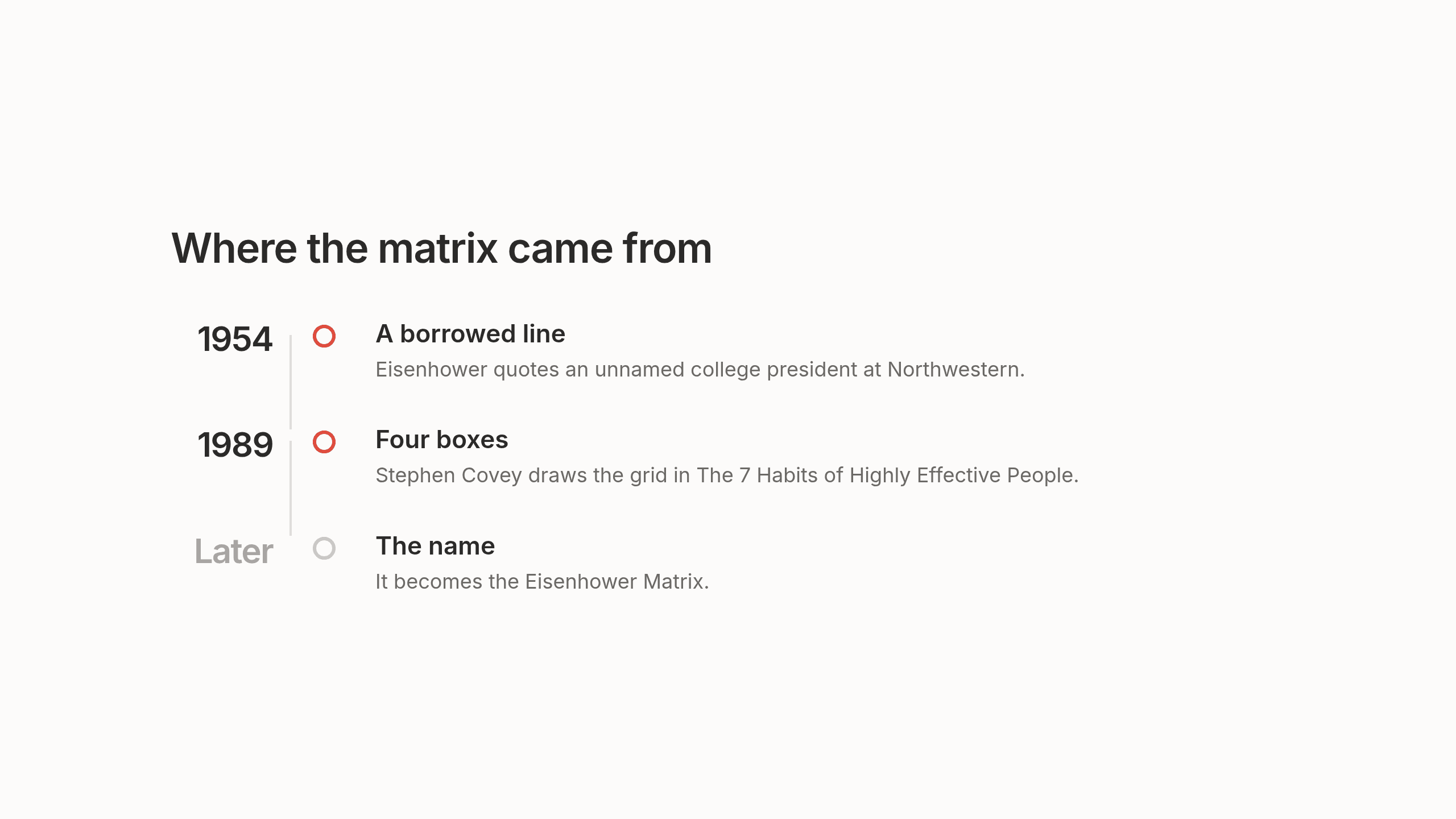
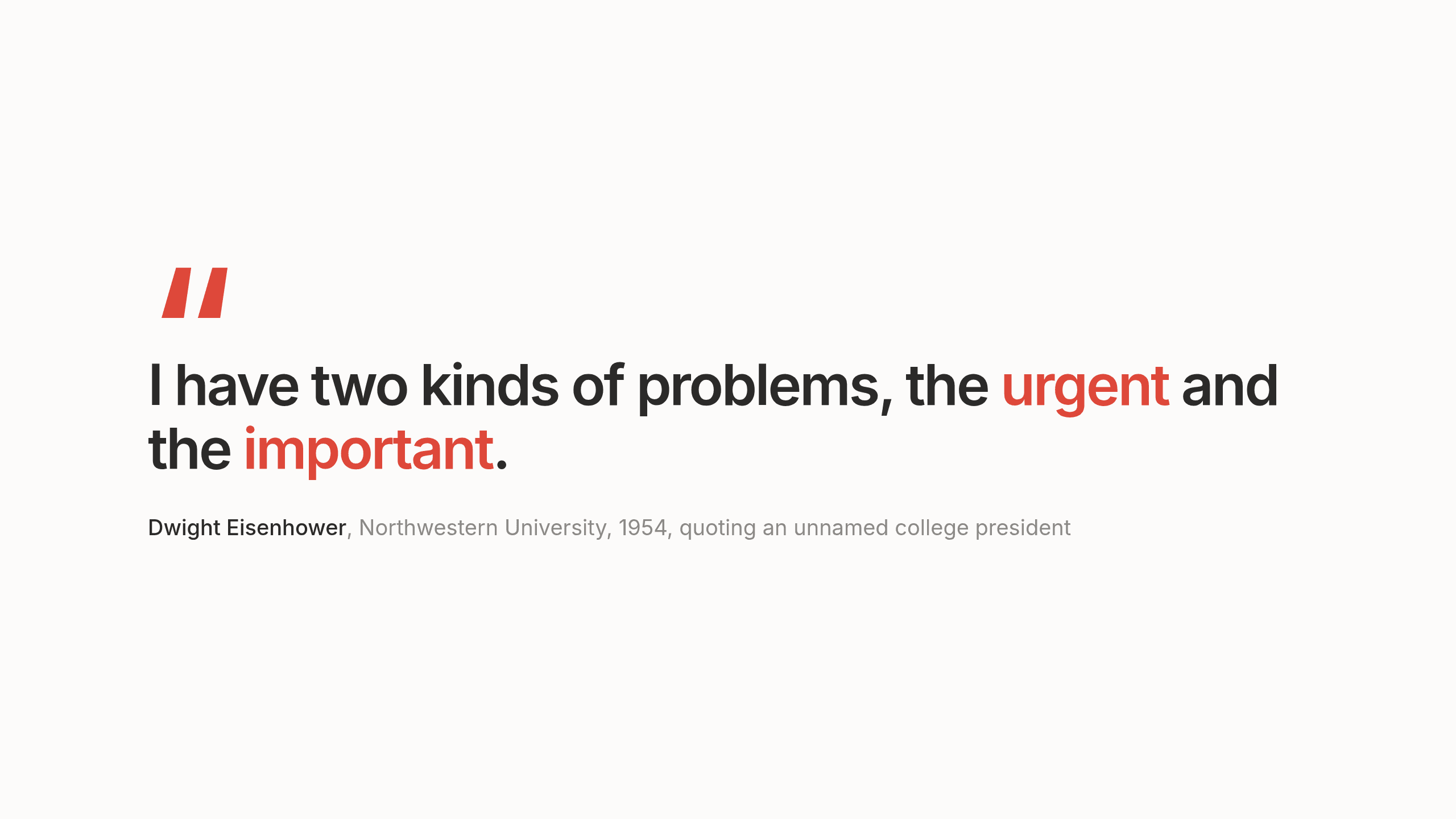
The history is a little different from the version most people repeat. In a 1954 speech at Northwestern University, Dwight Eisenhower said "I have two kinds of problems, the urgent and the important. The urgent are not important, and the important are never urgent." According to Quote Investigator, he was quoting an unnamed former college president and didn't claim the line as his own.
The tidier version you've probably seen, "What is important is seldom urgent and what is urgent is seldom important", is a later paraphrase. Eisenhower also never drew a grid. The four quadrants come from Stephen Covey's 1989 book The 7 Habits of Highly Effective People, where he argued that most of us spend far too little time on important work that has no deadline. The name "Eisenhower Matrix" came later still. So the most famous tool for prioritizing is named after a president, built by a different author and based on a line the president borrowed. We think that's rather nice.
Why urgent tasks keep winning
Knowing the difference between urgent and important doesn't stop most of us from answering a routine email before opening the strategy doc. There's research on why. In 2018 Meng Zhu, Yang Yang and Christopher Hsee published a paper called "The mere urgency effect" in the Journal of Consumer Research. Across five experiments, people kept choosing tasks that had a short deadline over tasks with better payoffs, even when the urgent task wasn't worth more. Zhu called it "an illusion of expiration".
We find that study a little comforting. The pull you feel toward your inbox isn't a lack of discipline. It's how most of us are wired, which is useful to know before you start blaming yourself for a slow Tuesday.
It's also the best argument for the matrix. It puts a pause between "this has a deadline" and "this matters". It also explains why sticking to it takes effort, since the pull toward urgent things doesn't go away just because you drew four boxes.
Eisenhower Matrix template
You don't need a diagram or a special app. We kept this one plain on purpose, so it's quick to fill in and fits into whatever note you already open in the morning. Copy it, change the labels if you like and make it yours.
Eisenhower Matrix, [date]

DO (urgent and important)
-
-

SCHEDULE (important, not urgent)
- [Task] -> [when]
- [Task] -> [when]

DELEGATE OR SHRINK (urgent, not important to me)
- [Task] -> [who, or the smaller version]

DROP (neither)
-
An Eisenhower Matrix example
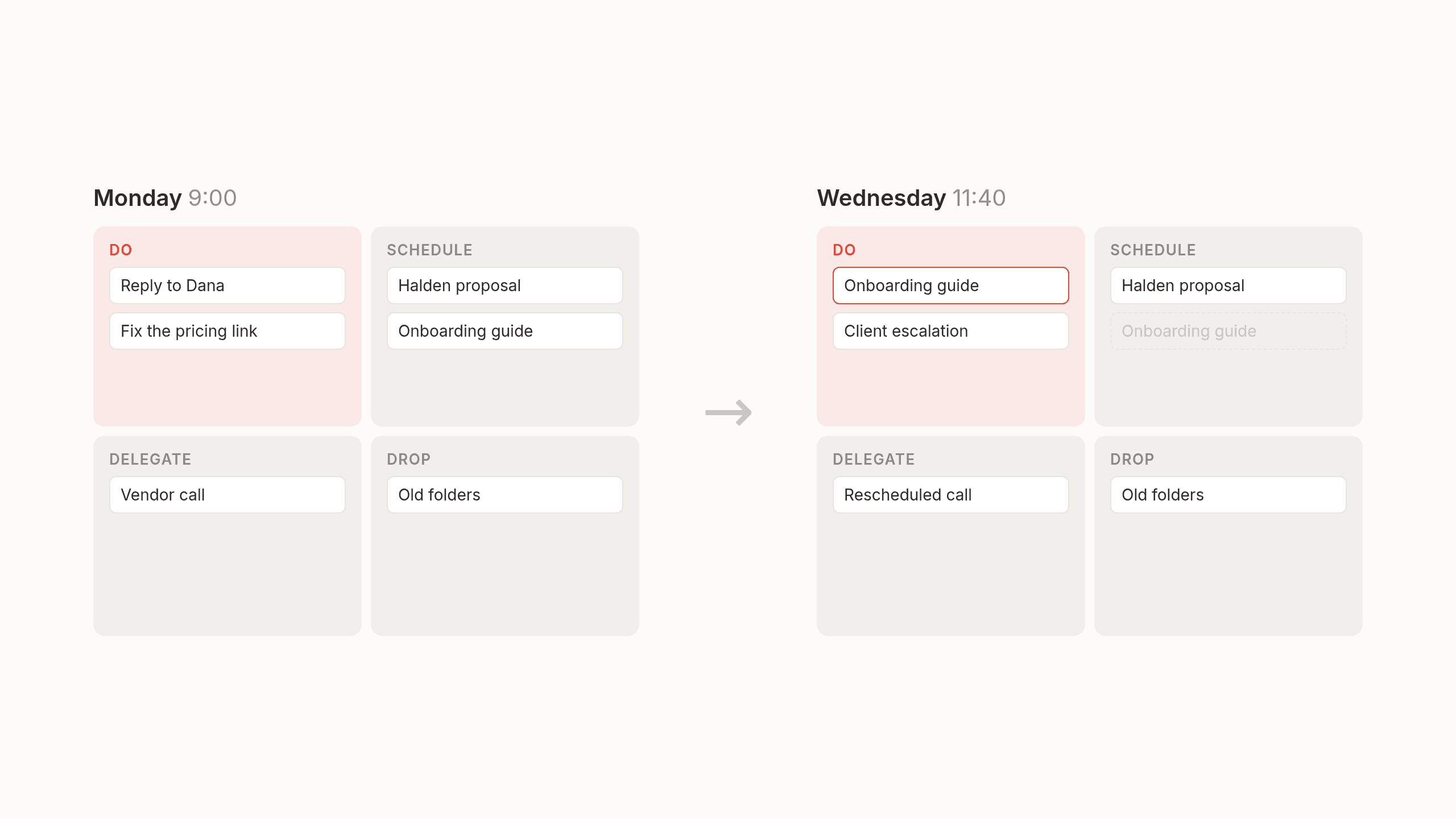
Here's Sam's Monday morning list of ten things, sorted into the four boxes.
Eisenhower Matrix, Monday

DO (urgent and important)
- Reply to Dana, her board pack deadline moved to tomorrow
- Fix the broken pricing link in Friday's proposal

SCHEDULE (important, not urgent)
- Draft the Halden pilot proposal -> Tuesday 8:30
- Prepare the quarterly plan with Priya -> Thursday
- Write the onboarding guide clients keep asking for -> next week

DELEGATE OR SHRINK (urgent, not important to me)
- Vendor wants a call -> reply by email instead
- Update the shared tracker -> ask the team to update their own rows
- Meeting invite I'm not needed for -> decline with a short note

DROP (neither)
- Reorganize old folders
- Catch up on the newsletter backlog
On Monday at nine it looks calm. By Wednesday, some of it will have moved. A call gets rescheduled, a client escalates and the onboarding guide becomes urgent because it waited one week too long. That's normal and it's worth keeping in mind for later.
How to use the Eisenhower Matrix well
A few small habits make a surprising amount of difference.
Sort once in the morning. Five minutes is enough. Trying to keep the grid perfect all day turns it into a second job.
Be strict about "important". Important means it moves something you care about. Someone asking loudly doesn't count.
Give every Schedule item a time. If it doesn't have a slot on your calendar, it will sit in that box forever.
Delegate with an owner and a date. Otherwise it tends to come back to you on Friday.
Look at the Drop box once a week. And let it stay dropped.
Where the Eisenhower Matrix falls short
We want to be fair here, because we really do like the matrix. It's a good way to think. It just makes a few assumptions that don't hold up very well once you're at work.
It assumes your list is complete. In practice tasks arrive all day from email, meetings and messages, so the grid is only as good as the last time you sat down and gathered everything.
It's a snapshot. Urgency changes during the day. When something moves from Schedule to Do because it waited too long, the grid on your notepad doesn't notice.
Importance is hard to judge from a list. Whether a task matters often depends on who's asking and what else depends on it and four boxes don't show that.
And the sorting takes time. Doing it once a day with a coffee is fine. Doing it again every time the day changes turns prioritizing into its own job.
None of this is a reason to stop thinking in urgent and important. It's a reason to stop doing all the sorting by hand.
An Eisenhower Matrix that keeps itself up to date
That's the problem we've been working on with Lemongraph, an AI native personal task manager for people whose work runs through other people, like founders, managers and consultants. Instead of assuming you already have a neat list ready to sort, Lemongraph picks up tasks from your email and meetings without you copying them over, so the list is complete before you've started your morning. We like to think of it as the matrix, if someone else did the gathering and the re-sorting for you and showed their work.
Every morning Up next shows what matters today and why. Daily priority triage is included on every plan, including the free one. We'll admit our first take on priorities leaned hard on due dates, which is exactly the urgency trap the matrix warns about. We got that wrong. The thing with a date on it is rarely the thing on your mind. So Lemongraph now looks a few steps further around each task, at the work and the people connected to it. Due dates still count. They just don't get the final say. We wrote more about this in our guide on how to prioritize tasks.
Every item shows why it's there, so you can see the reasoning and disagree with it. When plans change, you can snooze anything and it comes back when you're ready. And for the repetitive work that fills the Delegate box, Lemongraph can spot the chore and show it with a Hire button. Hire it once and next time it only asks for your OK. It asks before every action and you give it permission in small steps, one chore or one contact at a time.
Lemongraph runs on the web and Mac. The free plan includes 5 integrations and 15 chore runs a month and Pro is $20 a month for 100.
It doesn't decide what's important in your life. It keeps the list complete, makes a first pass at the order with its reasons and leaves the final say to you. And if a five minute paper matrix each morning works for you, please keep it. It's a good habit.
However you use it, we hope the important things get a little more of your time this week.
Frequently asked questions
What is the Eisenhower Matrix in simple terms?
A way to sort your to-do list into four boxes using two questions, is it urgent and is it important. Depending on the answers, you do the task now, schedule it, hand it off or drop it.
What are the four quadrants of the Eisenhower Matrix?
Do, for urgent and important tasks. Schedule, for important tasks that aren't urgent. Delegate or shrink, for urgent tasks that aren't important to you. Drop, for tasks that are neither.
Is there a free Eisenhower Matrix template?
Yes. You can copy the plain text template above into any notes app or document.
Did Eisenhower invent the Eisenhower Matrix?
No. In a 1954 speech he quoted an unnamed former college president about urgent and important problems. Stephen Covey turned the idea into the four quadrant grid in his 1989 book The 7 Habits of Highly Effective People and the name came later.
Is the Eisenhower Matrix good for ADHD?
Some people find a visual four box sort helpful, because it gets tasks out of your head and makes priorities concrete on a page. What helps varies a lot from person to person, so it's worth trying with a short list for a week and seeing whether the structure suits you.
What are the downsides of using the Eisenhower Matrix?
It assumes your list is complete and stays the same, while at work new tasks arrive all day. Urgency changes as the day goes on and re-sorting by hand every few hours becomes a chore of its own. It's still useful as a way of thinking. Lemongraph tries to help with the sorting by keeping the list complete from your email and meetings and showing a suggested order with its reasons each morning.
The work behind work: rethinking personal task management
For twenty years personal task management has looked the same, a text box, a checkbox and a date. What it looks like when the list keeps itself up to date.
How to plan your day when most of it isn't up to you
How to plan your day in ten minutes when meetings and requests fill your calendar, with a simple daily template and a real example.