Todoist vs TickTick in 2026: which to-do app fits your day?
Comparing Todoist vs TickTick in 2026? See how pricing, calendars, AI features and daily workflows stack up so you can pick the right to-do app for your day.
Sep 10, 2026
Switching to-do apps is a big ask when your whole week already lives inside one. When you compare Todoist vs TickTick in 2026, you should pick Todoist if you want the fastest task capture or stronger AI help, or if you need deep integrations for sharing projects with a team. You should pick TickTick if you work solo and want your tasks alongside a calendar and a focus timer in one app for about half the price.
Todoist vs TickTick at a Glance
Choosing between two beloved to-do apps feels a lot like test driving two very reliable cars where neither choice is a mistake. If you've read a recent Todoist review, you already know people love it for getting chores out of their heads in seconds and sharing work with colleagues. Read any thorough TickTick review and you will see solo workers praising how it packs a calendar alongside a habit tracker into one window for about half the cost of Todoist Pro. Both apps are great at what they do.
We wanted to look at the Todoist vs TickTick decision without any marketing fluff by focusing on how both tools handle the messy reality of a Tuesday afternoon. Here's how their features and prices stack up side by side based on Todoist help center documentation and TickTick official Premium guides checked in October 2026.
| Feature | Todoist | TickTick |
|---|---|---|
| Paid Price | Pro at $60 a year ($5 a month) or $7 monthly; Business at $8 per user monthly billed yearly or $10 monthly | Premium at $35.99 a year (about $3 a month) or $3.99 monthly; 25 percent student discount (about $27 a year) |
| Free Plan Limits | 5 active personal projects, 3 filter views, 7 days history, 5 MB uploads, 10 Ramble sessions a month | According to TickTick, about 9 lists, 99 tasks, 2 reminders per task, 5 habits, 2 members per shared list, 1 upload a day |
| Adding Tasks | Smart Quick Add natural language input and Ramble voice capture | Standard natural language input that reviewers note is less capable than Todoist |
| Calendar Views | Pro only calendar layout, task durations and deadlines | Basic calendar and Eisenhower matrix on free; full drag and drop calendar with start and end dates on Premium, plus Google Calendar subscription |
| Habits and Focus Timer | None built in | Built in habit tracker and Pomodoro focus timer linked to tasks on free and Premium |
| AI Features | Todoist Assist with Ramble, Task Assist and Email Assist | Suggested Tasks added in version 8.0 (January 2026) to recommend unfinished tasks for today |
| Collaboration | Business plan for teams with shared projects and roles up to 1,000 members | No team or business plan; shared lists capped at 2 members on free and 30 on Premium |
| Integrations | Large integration ecosystem, native connections, Zapier and an official MCP server | Fewer outside integrations than Todoist |
| Platforms | Web, Mac, Windows, Linux, iOS, Android, watches and browser extensions | Web, Mac, Windows, iOS, Android and Apple Watch |
Adding Tasks and Getting Things Out of Your Head
A to-do app earns its keep in the three seconds after you remember you owe somebody an email. Todoist built its reputation on Smart Quick Add, which is widely seen as the gold standard for natural language input in this category. You can type a normal sentence with a due date and a priority tag right in the text box, hit enter and watch Todoist file it neatly into the right project.
Todoist goes even further when your hands are full by offering a voice feature called Ramble. You just talk out loud about what you need to get done. Ramble turns your spoken words into structured tasks complete with dates and assignees, which is a nice touch when you're walking between meetings.
TickTick also includes natural language input that handles everyday reminders well enough for most folks. Still, reviewers consistently note that its parser is less capable than what Todoist built once your dates get complicated. People who add dozens of tasks on the fly will feel much more at home in Todoist.
Planning Your Day with Calendars and Views
Getting tasks onto a list is only half the battle because you still have to figure out how ten hours of promises fit into an eight hour Tuesday. TickTick shines once you start mapping out your day. Even on its free plan, TickTick gives you basic calendar views alongside an Eisenhower matrix view so you can sort urgent fires from important work, plus you can subscribe to Google Calendar right inside the app.
Upgrading to TickTick Premium gives you full calendar views with drag and drop scheduling where you can set start and end dates on your tasks. In January 2026, the TickTick version 8.0 update also added Suggested Tasks, which looks at your priorities and past patterns to recommend unfinished work you should tackle today.
Todoist treats the calendar as a paid upgrade reserved for Pro and Business users. Pro gives you a clean calendar layout with task durations and deadlines, though it remains simpler than the scheduling workspace inside TickTick. Visual planners who live by their daily schedule usually prefer TickTick.
Habits and Focus Timers in One Place
These two apps have a very different philosophy about how much software belongs inside one window. TickTick is like a Swiss Army knife that folds a habit tracker and a Pomodoro focus timer linked directly to your tasks into the main app, even on the free tier. If you pay for TickTick Premium, you can also estimate how many Pomodoro sessions a chore will take and review your focus statistics and history over time.
Todoist is more like a single sharp chef's knife. It has no built in habit tracker and no focus timer at all. It keeps its attention on tasks and leaves the extras to other apps. If you dislike jumping between three different windows just to remember to drink water and time your afternoon writing block, TickTick saves you both money and screen space.
How Todoist Assist Compares to TickTick AI
Every productivity company is figuring out where artificial intelligence actually helps with list upkeep versus where it just gets in the way. Todoist has invested heavily here by bundling its AI tools under Todoist Assist, with the full set on Pro, while giving free Beginner users 10 Ramble sessions a month so they can test voice capture before paying a dime. Paying for Todoist Pro gives you full access to three distinct tools that help you write and organize your list.
- Ramble listens to you talk through your messy thoughts and turns your speech into structured tasks with priorities and dates.
- Task Assist takes a vague project sitting on your list and breaks it down into smaller, actionable subtasks.
- Email Assist reads emails you forward into the app and pulls out the actual action items for you.
TickTick takes a much quieter approach that reviewers describe as modest next to Todoist. Its AI centers on the Suggested Tasks feature introduced in version 8.0 in January 2026, which quietly recommends unfinished tasks for today based on your habits and priorities. Todoist is the stronger choice if you want AI to help you write and break down your list.
Working with Other People and Connecting Your Tools
Your choice gets much easier if your to-do list involves coworkers or connects to a dozen other work tools. Todoist offers a dedicated Business plan built for teams that supports shared projects and user roles for up to 1,000 members. TickTick has no team or business plan at all, capping shared lists at 2 members on its free tier and 30 members on Premium. It's really built for one person.
Todoist also pulls ahead when you need your task manager to talk to the rest of your software. It supports a large integration ecosystem with native connections, Zapier and an official MCP server. TickTick is more self-contained by comparison.
Both apps show up on almost every screen you own, so platforms rarely decide this one. Team players and heavy integrators still belong on Todoist.
What You Pay and What You Get on Free and Paid Plans
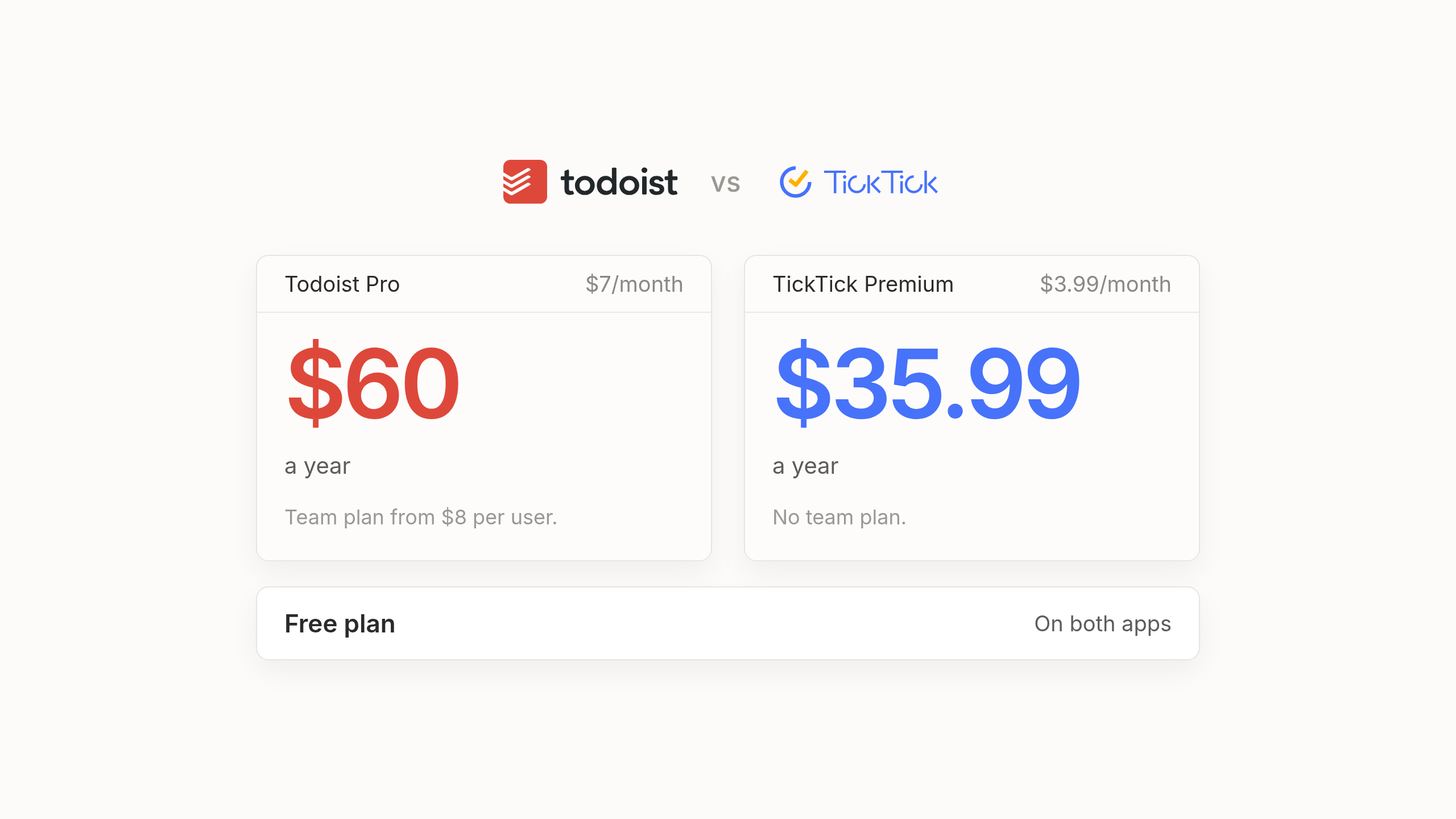
Money matters when you're paying for software every single year. TickTick Premium costs $35.99 a year which works out to about $3 a month, or you can pay $3.99 a month billed monthly. Reviewers also report a 25 percent student discount that brings TickTick Premium down to about $27 a year.
Todoist Pro costs $60 a year which comes to $5 a month, or $7 a month if you pay monthly. Todoist offers a 7 day free trial for Pro and refunds yearly plans within 30 days if you change your mind, while its Business plan for teams costs $10 per user a month or $8 per user a month billed yearly. Here's what you actually get for your money across the free and paid tiers.
- Todoist Beginner ($0) gives you 5 active personal projects and 3 filter views, along with 7 days of activity history and basic reminders, plus 5 MB file uploads and 10 Ramble voice sessions a month.
- Todoist Pro ($60 a year) raises your limits to 300 active projects and 150 filter views, while adding full activity history and automatic backups alongside the calendar layout and Todoist Assist.
- TickTick Free ($0) gives you, according to TickTick's own Premium guide where numbers are best treated as approximate, 9 lists and 99 tasks, 2 reminders per task and 5 habits, plus 2 members per shared list and 1 attachment upload a day.
- TickTick Premium ($35.99 a year) raises those limits to 299 lists and 999 tasks, 5 reminders per task and 299 habits, 30 members per shared list and 99 uploads a day, while adding custom filters and folders alongside more than 40 themes.
TickTick vs Todoist and Which One to Pick
When you weigh TickTick vs Todoist at the end of the day, you're looking at two wonderful pieces of software. Neither one is a bad decision. You should pick Todoist if you care most about fast natural language entry and stronger AI help, or if you need deep integrations and shared projects with a team at work. You should pick TickTick if you work solo and want your tasks and calendar living under the same roof as your habits and focus timer, especially when its paid plan costs about half as much.
Yet it's worth noticing what both apps quietly share underneath all their feature differences. In both apps, you still maintain the list yourself. You're the one who has to remember to type or speak every promise you made during a meeting, decide what comes first this morning and manually drag twenty overdue tasks to tomorrow when an afternoon call runs late. Keeping the list organized becomes a little job of its own.
A Different Kind of To-Do List
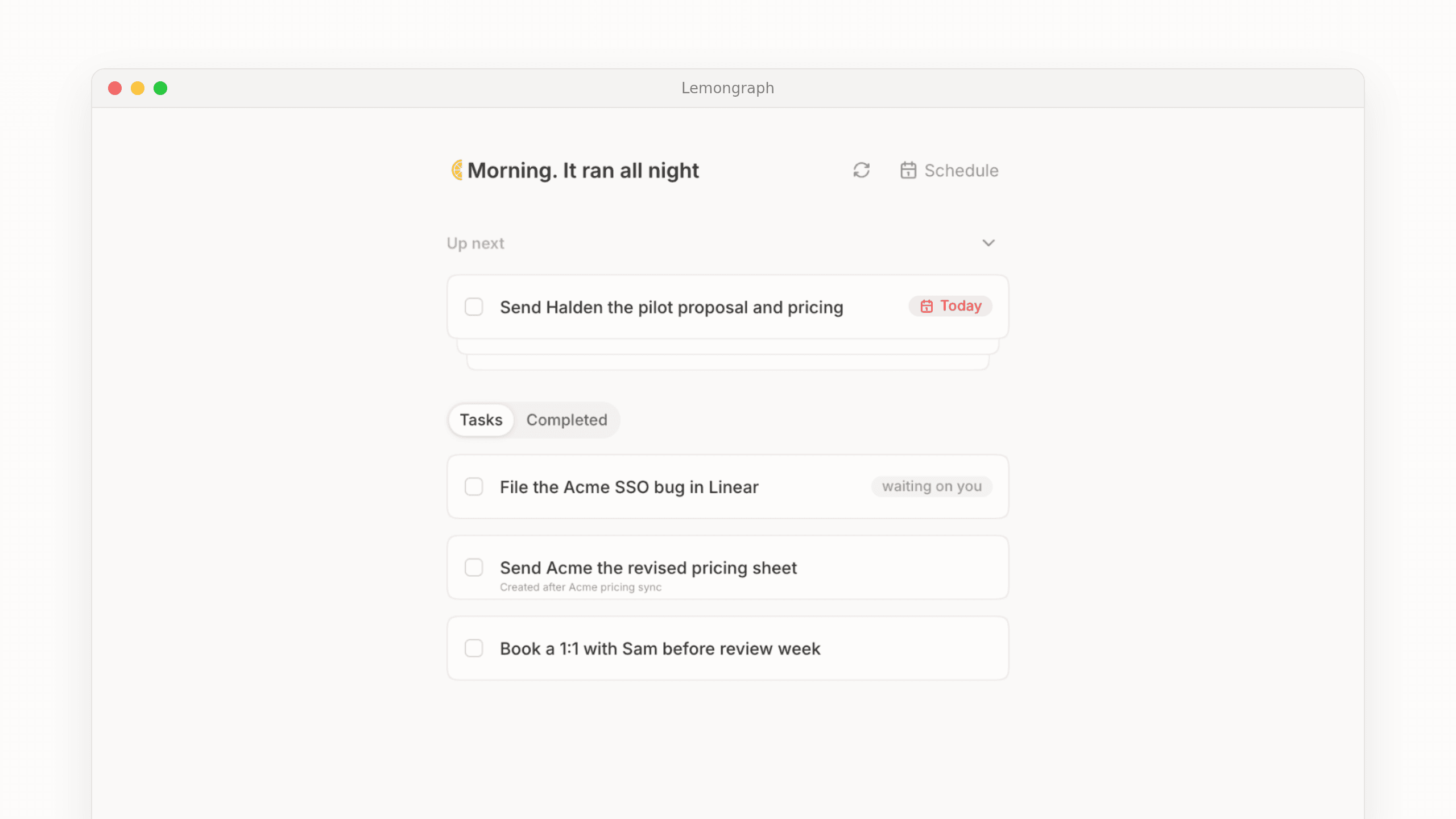
That daily upkeep is usually why busy people start searching for Todoist alternatives or TickTick alternatives after a few years. We built Lemongraph as an AI native personal task manager for people whose to-do list is driven by other people. Instead of a list you maintain by hand, our list keeps itself up to date.
Tasks from your email and meetings land on your list automatically. Your priorities adjust on their own when plans change midweek. Every morning, a view called Up next shows what actually matters today and explains why. You can snooze anything for later and it comes back when you're ready. It's still a personal to-do app at heart, just one that does the filing for you.
To be upfront about our limits and our price, Lemongraph runs on the web and Mac and doesn't sync with Todoist or TickTick. It also costs more than both apps, with a Free plan at $0 for 15 chore runs a month and a Pro plan at $20 a month for 100 chore runs where you pay per chore that actually gets done rather than by credits. People who enjoy running their own system, or who want a habit tracker and a focus timer, are much better served by Todoist or TickTick. Lemongraph is for people who'd rather the list kept itself.
Frequently Asked Questions About TickTick vs Todoist
Is TickTick better than Todoist?
Neither app is universally better in a TickTick vs Todoist matchup because they fit different workdays. TickTick is better for solo workers who want a strong calendar alongside a habit tracker and a focus timer in one app, while Todoist is better for fast natural language task capture and team projects.
Is TickTick cheaper than Todoist?
Yes. TickTick Premium costs $35.99 a year (about $3 a month) or $3.99 monthly. Reviewers also report a 25 percent student discount that brings it to about $27 a year. Todoist Pro costs $60 a year ($5 a month) or $7 billed monthly.
Does Todoist have a habit tracker?
No, Todoist doesn't have a built in habit tracker or a focus timer. TickTick includes both a habit tracker and a Pomodoro focus timer on its free and paid plans.
Which has better AI, Todoist or TickTick?
Todoist offers stronger AI features through Todoist Assist, which includes Ramble for voice capture alongside Task Assist for subtasks and Email Assist for forwarded emails. TickTick's AI is more modest, centering on the Suggested Tasks feature added in version 8.0 to recommend unfinished tasks for today.
Is there an alternative that updates the list for me?
Yes, Lemongraph is an AI native personal task manager that pulls tasks from your email and meetings and adjusts your priorities automatically when plans change, so you don't have to maintain your to-do list by hand.
TickTick pricing in 2026: is it free and is Premium worth it?
Looking for TickTick pricing in 2026? Yes, it has a generous free tier while Premium costs $35.99 a year. See every limit and who should pay.
Todoist Pricing in 2026: Is It Free and Is Pro Worth It?
A plain guide to Todoist pricing in 2026. See what stays free, why Pro costs $7 a month or $60 a year and who gets real value from paying to upgrade.