Meeting agenda template: how to prepare an agenda that makes meetings shorter
A free meeting agenda template with a filled in example, versions for one on ones, client meetings and team weeklies and how to write one.
Oct 12, 2026
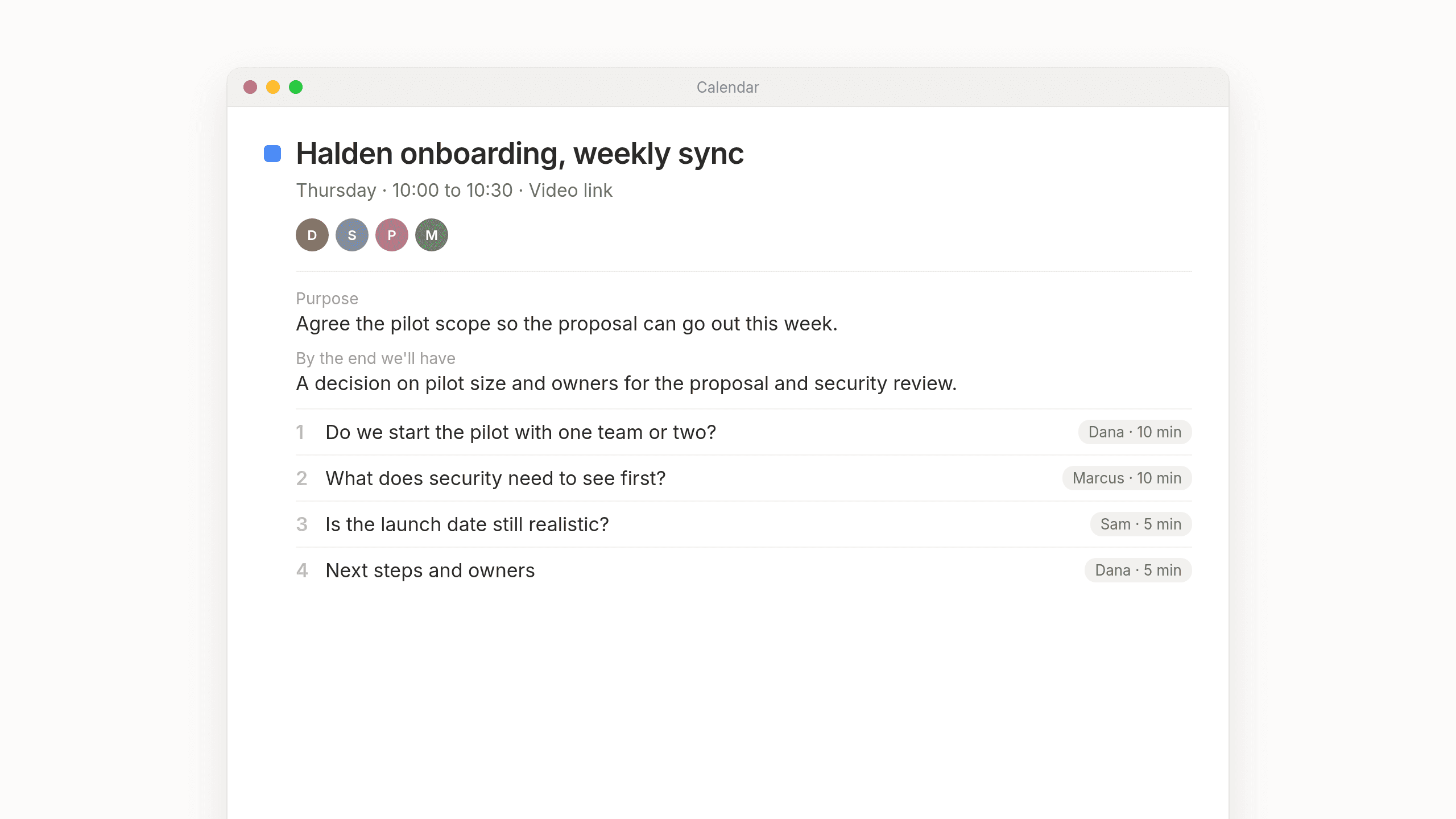
A good meeting agenda says why the meeting exists and what should be decided by the end, then lists the topics in order with who leads each one and how long it gets. Send it a day before. There's a free meeting agenda template below that you can paste into your next invite.
What makes a good meeting agenda
A lot of calendar invites arrive with nothing in the description, or just "Q4 planning". People turn up without knowing what they're there to decide, so they talk until the time runs out.
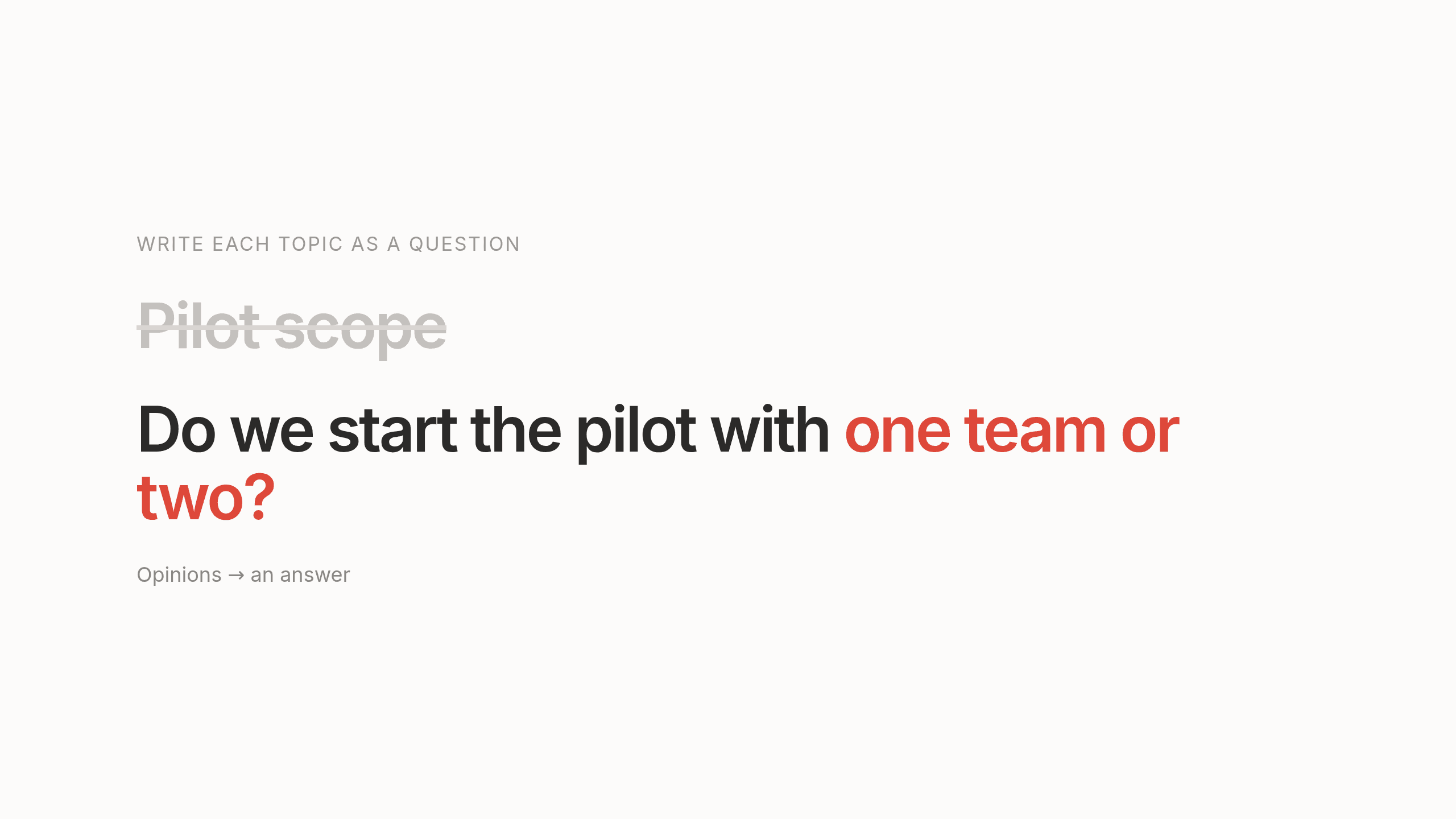
The fix is small. Write each topic as a question. "Pilot scope" gets everyone sharing their opinions about the pilot. "Do we start the pilot with one team or two?" gets an answer. And if you can't write down what the meeting should produce, it's worth asking whether you need the meeting at all.
A useful agenda has these pieces.
A purpose in one sentence. Why are we meeting?
The outcome. What should exist at the end that doesn't exist now, like a decision, a plan or a list of owners.
Topics written as questions. Wherever you can.
An owner for each topic. One person who keeps that part moving.
A time for each topic. Otherwise the first one takes the whole meeting.
Anything to read beforehand. Linked at the top, so nobody spends the first ten minutes reading on mute.
The most important question first. People are fresher at the start. Updates that could be an email go last, or into an email.
Sent at least a day before. That gives people time to prepare, or to tell you they don't need to be there.
Meeting agenda template
Copy this into your calendar invite or a shared doc.
Meeting: [Name]
Date and time: [Day, date, start and end time]
Location: [Room or video link]

Purpose: [Why we're meeting, in one sentence]
By the end we'll have: [The decision, plan or list of owners this meeting should produce]

Before the meeting, please read: [Links]

Attendees: [Names]

Agenda
1. [Question to answer] ([Owner], [minutes])
2. [Question to answer] ([Owner], [minutes])
3. [Question to answer] ([Owner], [minutes])
4. Next steps and owners ([Owner], 5 min)
The last five minutes are kept for next steps. Without them, meetings tend to run right up to the hour and end before anyone has agreed who's doing what.
Meeting agenda format, filled in
Here's the same meeting agenda format filled in for a thirty minute weekly sync.
Meeting: Halden onboarding, weekly sync
Date and time: Thursday, 10:00 to 10:30
Location: Video link

Purpose: Agree the pilot scope so the proposal can go out this week.
By the end we'll have: A decision on pilot size and owners for the proposal and security review.

Before the meeting, please read: Last week's minutes, draft pilot plan

Attendees: Dana, Sam, Priya, Marcus

Agenda
1. Do we start the pilot with one team or two? (Dana, 10 min)
2. What does security need to see before we connect customer data? (Marcus, 10 min)
3. Is the launch date still realistic given the board meeting on 3 Nov? (Sam, 5 min)
4. Next steps and owners (Dana, 5 min)
Every topic is a question someone can answer and each person knows what to bring. Dana knows she's expected to recommend a pilot size. Marcus knows on Wednesday that he should come with a list of what security needs, instead of working it out live in the meeting.
Agenda templates for one on ones, client meetings and team weeklies
The same idea works for the other meetings on your calendar.
One on one
1. What's on your mind this week? (them, 10 min)
2. Anything blocking you that I can help with? (them, 10 min)
3. Feedback, both ways (5 min)
4. What we each said we'd do (5 min)
For a regular check in between a manager and someone on their team. The first twenty minutes belong to them, so it doesn't turn into a status report for the manager.
Client meeting
1. Where things stand since last time (5 min)
2. [The decision you need from the client] (15 min)
3. Open questions from their side (5 min)
4. Next steps, dates and owners (5 min)
For when you need a customer or partner to agree on something. The decision comes right after a short catch up, while everyone's still paying attention.
Team weekly
1. Decisions we need this week (15 min)
2. Anything blocked (10 min)
3. Wins worth sharing (5 min)
Updates that don't need discussion go in the doc, not the meeting.
For a recurring team meeting that has drifted into everyone reading their task list out loud. Written updates go in the doc, so the meeting is spent on decisions and on getting people unstuck.
How to prepare an agenda for a meeting
It takes about five minutes if you do it in this order.
- Start with the outcome. Fill in "By the end we'll have" before you write any topics.
- Turn each topic into a question. People then know what kind of answer the meeting needs.
- Put the most important question first.
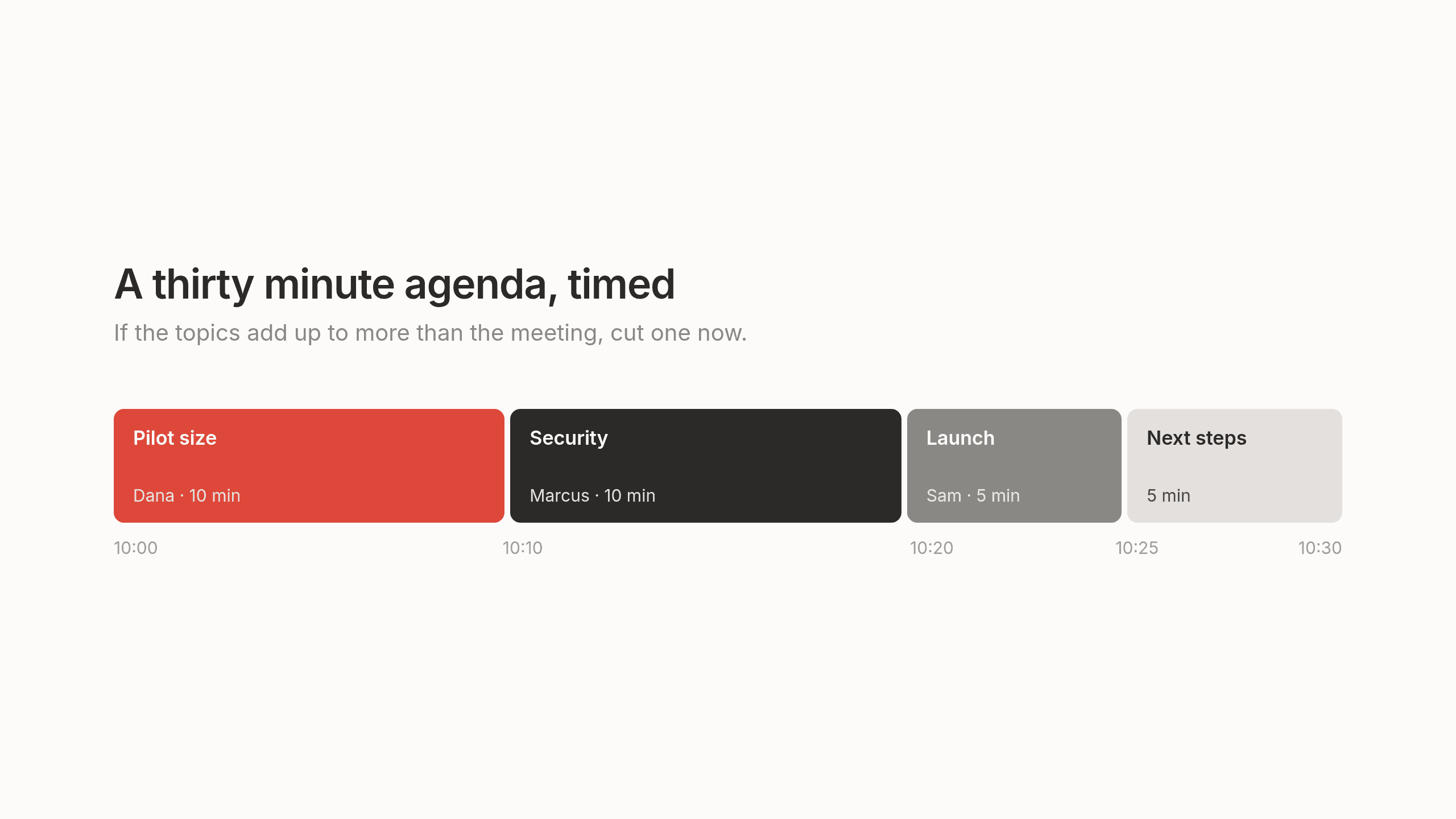
- Give each topic a time and add them up. If the total is longer than the meeting, cut topics or move them to email now, rather than hoping everyone talks faster.
- Check who needs to be there. If someone is only needed for one topic, put it first and let them drop off afterwards.
- Add last meeting's open action items. That way last week's promises get checked before new ones are made.
- Send it a day before, with links to anything people should read.
Common mistakes
The most common one is an agenda that's a list of nouns typed in a hurry between calls. Leaving off the times is a close second, since the first topic then expands to fill the meeting. Status updates read out loud, which could have been a written note, take up a lot of meetings too. Sending the agenda five minutes before the start means nobody can prepare. And without time for next steps at the end, people leave the call with no owners for the work they just discussed.
Preparation that's ready before you are
An agenda says what the meeting is for. Preparing for it also means remembering what was promised last time, what has happened since and what the other people care about. That information is spread across your email, notes, CRM and project tracker and on a busy day gathering it is the first thing to get skipped.
We built Lemongraph, an AI native personal task manager for people whose work runs through other people, like founders, managers and consultants. Preparing for meetings is one of the chores it can take on. We think of a chore as repetitive work you could hand to someone if you had someone. When Lemongraph spots one, it shows up with a Hire button. Hire it once and next time it only asks for your OK.
Before an important meeting, a brief can be waiting for you with context from your connected tools, so you walk in knowing what was said and promised last time. After the meeting, Lemongraph picks up the action items and puts them where the work happens, with owners and priorities. We wrote more about that in our guide to meeting action items.
It asks before every action. When you're ready, you can give it permission in small steps, one chore or one contact at a time. Lemongraph runs on the web and Mac. The free plan includes 5 integrations and 15 chore runs a month and Pro is $20 a month for 100.
Lemongraph doesn't decide what your meeting is for. That part is still yours to write and the template above is a good place to start.
Frequently asked questions
How do I write an agenda for a meeting?
Write one sentence on why you're meeting and what the meeting should produce, like a decision or a list of owners. Then list the topics as questions, most important first, give each an owner and a time and keep five minutes at the end for next steps.
What is a typical agenda for a meeting?
The meeting name and time at the top, a one sentence purpose and the outcome you want, links to anything people should read, three or four questions with owners and times and five minutes at the end to agree who does what.
What are the 5 P's of a meeting agenda?
There's no single official list. The most common version is purpose (why the meeting exists), product (what it should produce, like a decision or a plan), people (who needs to be there), process (the order of topics and how long each gets) and pitfalls (what could derail it). Some lists leave out pitfalls and call it the four P's.
How long before a meeting should you send the agenda?
At least a day before, with links to anything people should read. That gives them time to think, pull the right numbers or let you know they don't need to attend.
How many topics should a meeting agenda have?
Give each topic a realistic time, add five minutes for next steps and see what fits. For a thirty minute meeting that's usually two or three real questions. The rest can go to email or the next meeting.
Can a meeting agenda be automated?
Not the important part. Software can't decide why your team needs to meet or which question needs answering. Lemongraph can take on the preparation around it, putting together a brief before the meeting and picking up the action items afterwards, asking you first.
How to plan your day when most of it isn't up to you
How to plan your day in ten minutes when meetings and requests fill your calendar, with a simple daily template and a real example.
Meeting minutes template: a simple format and how to write minutes people actually read
A free meeting minutes template with a filled in example, what to write down, what to leave out and how to send minutes people will read.