How to do a brain dump and find what matters today
Learn how to do a fast brain dump without creating a second job of sorting notes and see how AI helps surface the few tasks that actually matter today.
Nov 13, 2026
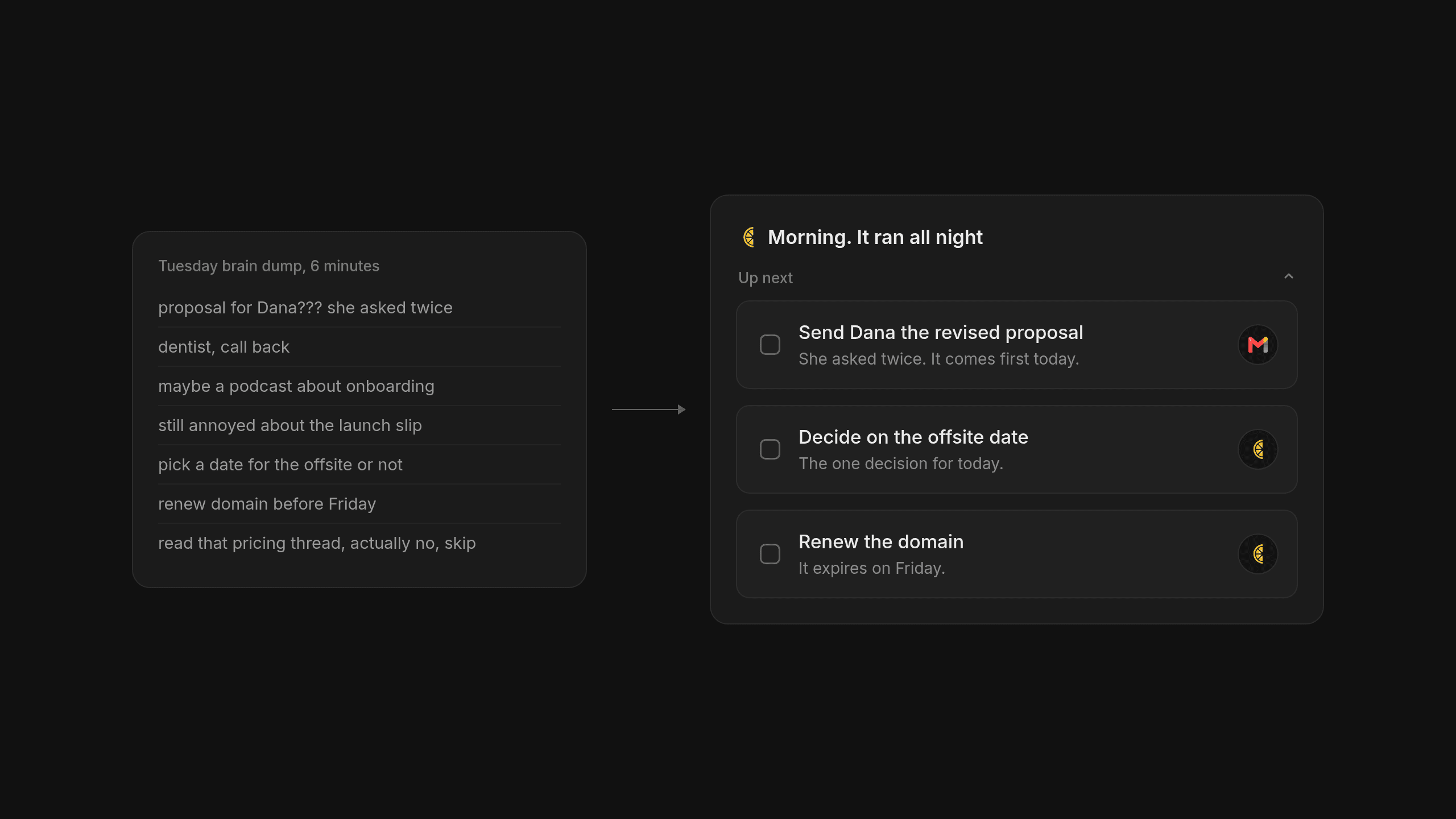
Psychologist Bluma Zeigarnik noticed in the 1920s that our brains hold onto unfinished tasks much tighter than completed ones, which explains why an unorganized week feels so loud by Tuesday morning. Getting those loose ends out of your head and into a trusted place is the fastest way to quiet the noise so you can actually start working. Learning how to do a brain dump gives your working memory a break when your week gets crowded.
Why a Brain Dump Works Better When You Do Not Organize It Yourself
Trying to work with an overcrowded head feels a lot like walking into the kitchen to make dinner and finding the counter buried under unopened mail and school forms. You cannot chop an onion until you clear a spot. A good brain dump is really just sweeping all that paper into one neat pile on the dining table so you have room to think again.
The Four to Ten Minute Unfiltered Capture
When your head feels loud on a Tuesday morning, set a timer for four to ten minutes and write or dictate everything floating around in your memory without stopping to tidy it up midstream. Put actual work deliverables right next to vague worries or half baked ideas that have been following you around since Sunday night. Stopping to label things while you write ruins the momentum. Your only job while the timer runs is to get the thoughts out onto the page before you start editing yourself.
Where the Classic Paper Dump Falls Short
We love the immediate quiet that comes from filling up a blank sheet of notebook paper, yet we also have to be honest about what happens thirty seconds after the timer rings. Once you empty your head onto a blank page, you are immediately handed a second administrative chore where you have to sort that whole mess into a to-do app. It feels exhausting. Separating the emotional relief of getting thoughts out of your head from the clerical work of filing them is what actually makes the habit stick past week one.
How to Keep AI From Inventing Extra Work in Your Brain Dump
Handing that messy pile of notes over to a language model sounds like the obvious solution until you see what happens by default. Left alone, a model acts like an overeager intern who turns every passing worry in your notebook into a five step project you never asked to do. You wanted a shorter list. Now you have a longer one.
Ground Rules for an Honest AI Brain Dump
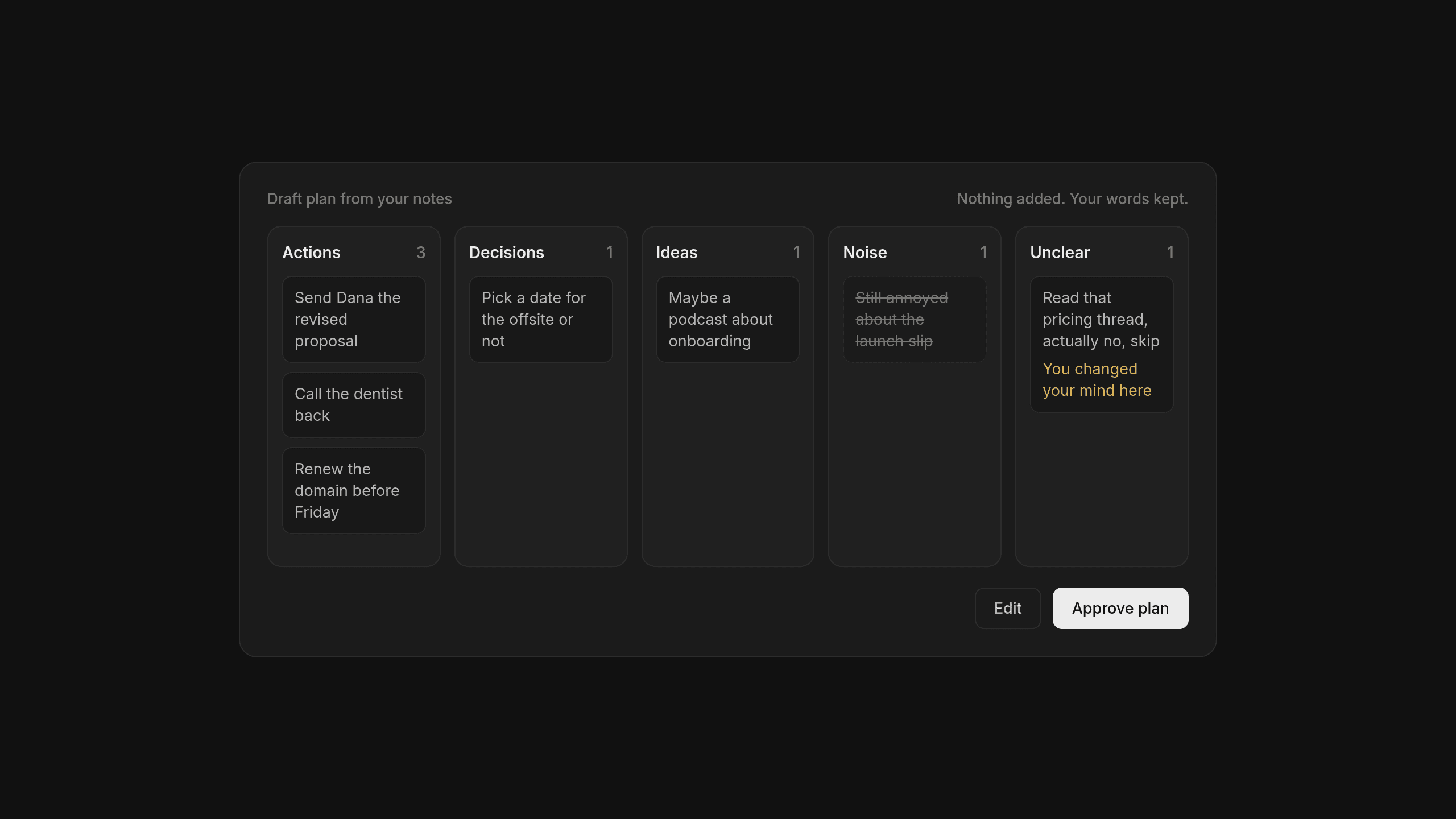
Running an honest AI brain dump requires setting firm boundaries before you paste a single word into the prompt window. You have to tell the model explicitly never to invent deadlines and never to create extra tasks that are not clearly implied in your raw notes. Ask it to keep your exact wording intact and point out the spots where you changed your mind midstream, because your real thinking usually hides right where you shifted direction while writing.
A Simple Triage Setup for Raw Notes
Instead of asking a model for a generic to-do list, instruct it to sort every single line from your notes into five plain buckets.
- Actions for concrete physical steps you actually need to take.
- Decisions for choices you are still weighing and need to settle before moving forward.
- Ideas for future thoughts worth keeping safe and out of your immediate way.
- Noise for pure venting that served its purpose on the page and can be safely let go.
- Unclear for messy items the model should flag for your review rather than guessing what you meant.
Software should never guess what you meant or quietly commit you to work you did not agree to do. Any triage step should return a clear draft plan for you to approve so you stay in charge of your own week.
Turning Raw Notes Into Next Actions You Can Actually Finish
Looking at five neat buckets of text brings a nice wave of relief, even though nothing on your actual workload has changed yet. A clean list can easily trick your brain into feeling like the work is already done.
Why Sorting Is Not Doing
Sorting is not doing. Once you approve the triage, take only the concrete items sitting in the Actions bucket and rewrite them as small verb first steps you can genuinely start today, while parking all those non actionable thoughts somewhere separate so they stop inflating your list. Pull out any two minute items right away and finish them on the spot so the exercise ends with real closure instead of a nicer spreadsheet of good intentions.
Capping Your Daily Workload
When you sit down to prioritize tasks with AI, the goal is protecting your attention rather than packing every open hour on your calendar. Ask the model to build a week plan that caps your daily workload at three real tasks a day and spreads the remaining items across Monday through Saturday while leaving Sunday completely open as a buffer. We always think Friday afternoon us will have boundless energy and we are almost always wrong. To keep yourself from freezing up when you look at the finished schedule, ask the model to point out the single action and the single decision that deserve your attention first today.
When to Use a Manual List Versus an AI Native Task Manager
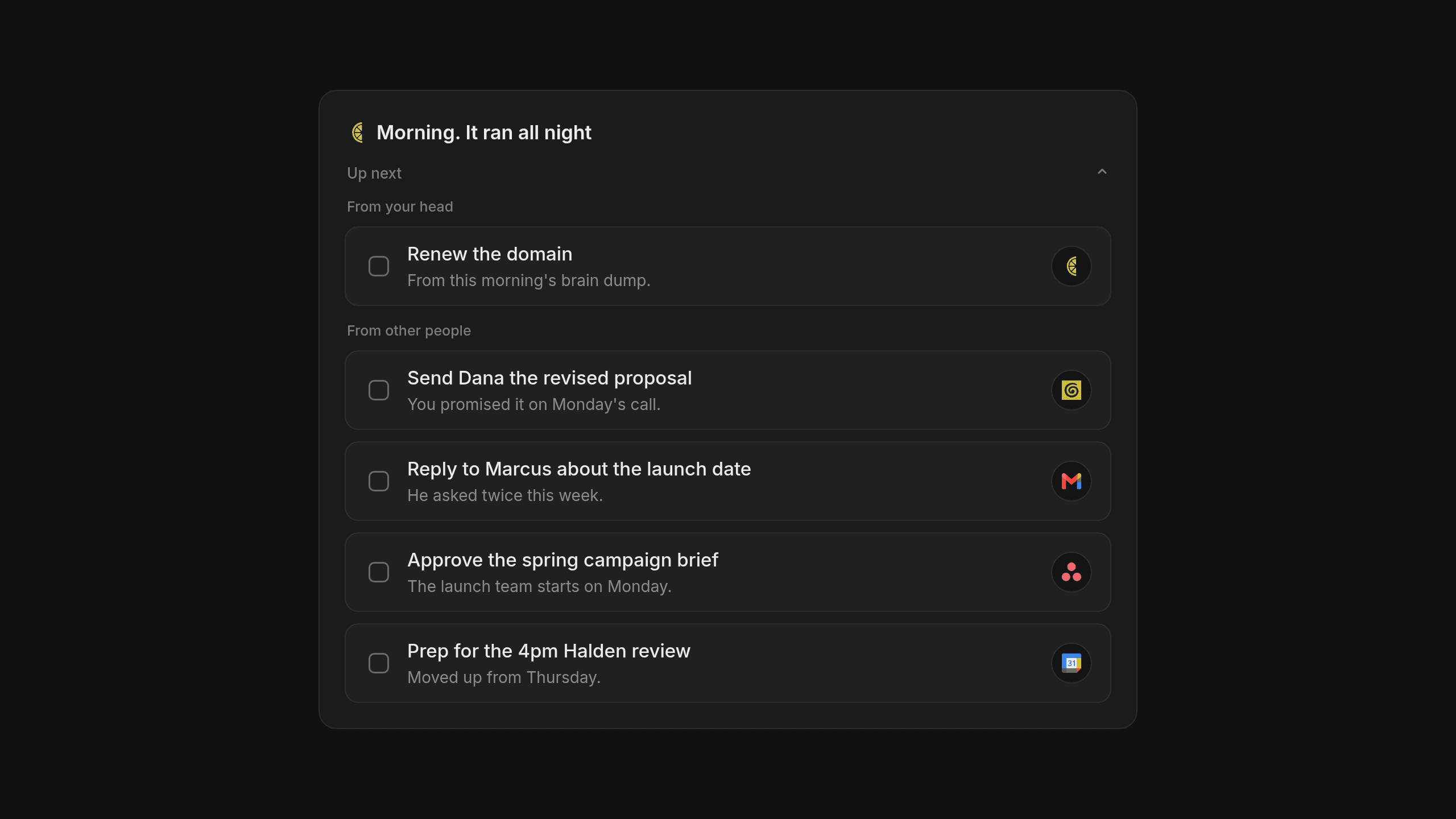
Emptying your own head on paper takes care of the worries you generated yourself, yet for most managers and founders that only covers half the week. Most of the work sitting on your plate arrived from other people during back to back meetings or long email threads where you promised to follow up.
How We Built Lemongraph to Keep Itself Up to Date
We built our AI native personal task manager Lemongraph for people who love having a reliable list they can trust, yet are tired of maintaining that list as a second job after hours. It is an AI task manager and a classic to-do app at heart. Instead of waiting for you to type everything in, tasks arrive automatically from your email and meetings through Gmail and Google Calendar. It also connects directly with project tools like Linear and Asana, or workspace apps like ClickUp and monday.com. If your team keeps notes and customer context in Notion and Granola, or tracks relationships across HubSpot and Attio, those promises land on your list too.
Every meeting brief links each detail right back to its source, while making sure nothing ever happens on your behalf without your approval. Every morning Up next shows what actually matters today and explains why, priorities adjust on their own when plans change and you can snooze anything for later so it comes back when you are ready.
Comparing a Manual Brain Dump and Lemongraph
This comparison looks at how raw thoughts and external commitments turn into daily actions with manual prompting and with an AI native personal task manager.
| Everyday Workflow Need | Paper and AI Prompt Brain Dump | Lemongraph |
|---|---|---|
| How tasks get onto your list | You write or dictate thoughts by hand and paste them into a prompt | Tasks arrive automatically from your email and meetings |
| How daily priorities get set | You ask a language model to pick your top action from raw notes | Up next shows what matters today and explains why |
| What happens when plans change | You run a fresh brain dump to clear the new clutter | Priorities adjust on their own and snoozed items return when ready |
| Who it fits best | Anyone needing a fast ten minute reset when their head feels loud | Busy professionals on web and Mac whose tasks come from other people |
A Simple Daily Rhythm for a Clear Head
You do not have to choose between writing in a notebook and using software that keeps up with your calendar. A calm morning rhythm often means doing a quick five minute capture on paper whenever your head feels loud, while letting your to-do app quietly catch all the promises you made in yesterday's conversations.
Frequently asked questions
How long should a daily brain dump take?
Four to ten minutes is plenty of time to get the loose ends out of your head without turning the exercise itself into a creative way to procrastinate on your real work.
How do I stop AI from adding fake tasks to my brain dump?
Tell the model explicitly not to invent tasks or deadlines that are not in your notes, while asking it to place any confusing lines into a separate unclear bucket for you to review yourself.
At the end of the day, any list is just a tool to help you see what matters today, finish the work you promised other people and close your laptop on time.
Goblin Tools alternatives for full work context
Looking for Goblin Tools alternatives that understand your actual workday? Compare Tidywell, Llama Life, Tiimo, ChatGPT and Lemongraph to find the right fit.
AI agent orchestration from one task list
Why AI agent orchestration depends on shared context, how it stops wasted tokens and how an AI native task manager decides what matters from your day.