Context engineering for non-engineers: why your AI keeps forgetting you
Learn what context engineering means in plain words for everyday ChatGPT and Claude users so you can stop repeating yourself in every new chat.
Nov 20, 2026
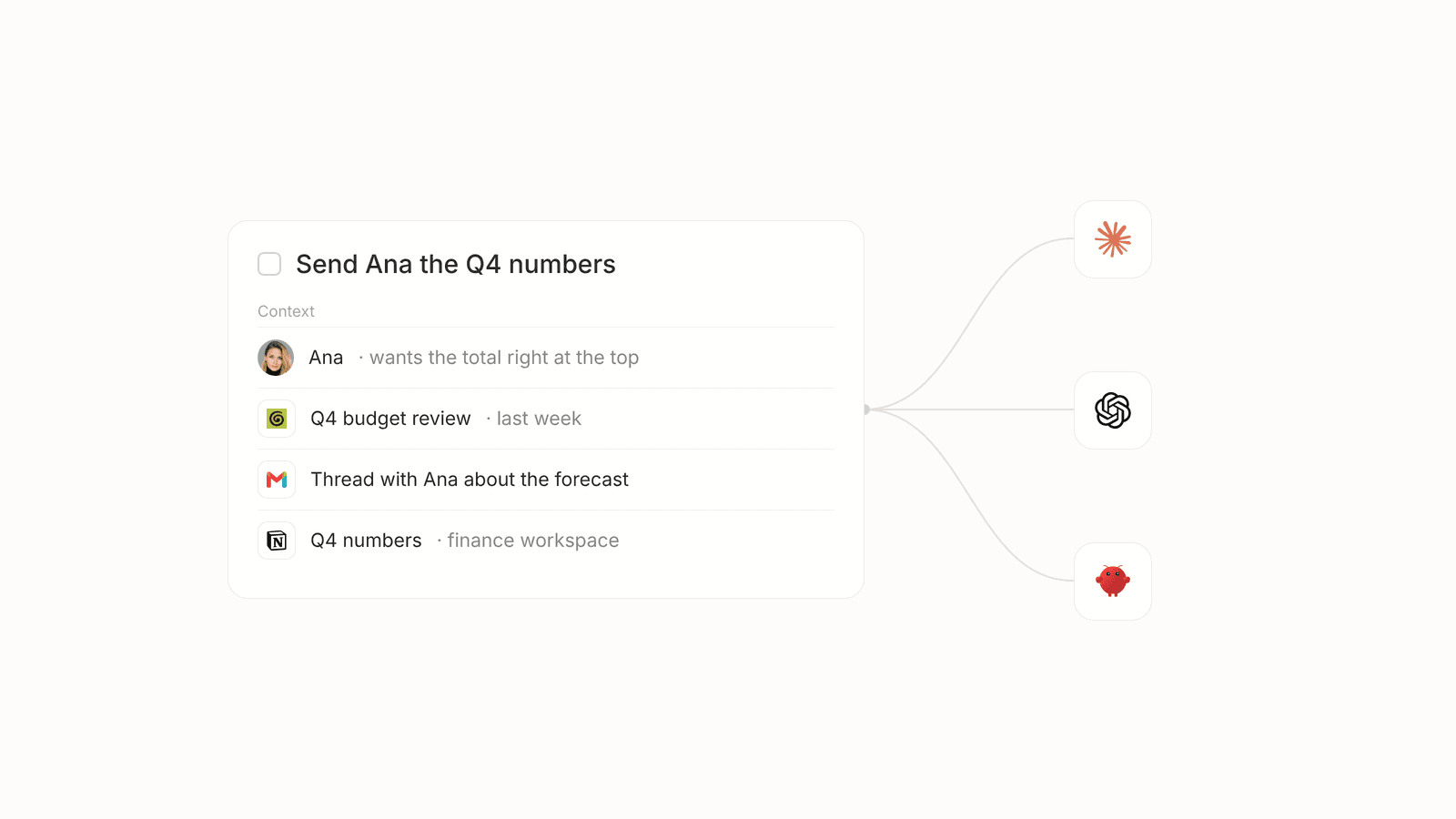
You open a fresh chat on Thursday morning and find yourself typing out what your company sells and who Ana from finance is for the third time this week. The model on the other side of the screen is remarkably smart, yet it has no idea who you are or what you promised your team yesterday, which is the exact gap that context engineering tries to solve. By the time you finish reading this guide, you will understand how that gap works without touching a single line of code and walk away with a few simple habits you can use in your very next chat.
What is context engineering in plain words
For the past couple of years, almost everyone talked about prompt engineering as if finding the right magic words would make ChatGPT or Claude read our minds. We eventually realized that how you phrase a question matters much less than what the model already knows at the exact moment you ask it. Prompt engineering is how you ask a question, while AI context engineering is everything the model knows about your work before it starts typing an answer.
In June 2025, as documented by Simon Willison, Shopify CEO Tobi Lütke shared that he prefers the term context engineering over prompt engineering because it describes "the art of providing all the context for the task to be plausibly solvable by the LLM." Andrej Karpathy agreed with that shift and called it "the delicate art and science of filling the context window with just the right information for the next step." Even though those definitions came from software leaders, the problem they describe is something non-engineers bump into every single hour.
Think of your AI as a clever new colleague on their very first morning at your company. They graduated at the top of their class and write well, yet they know nothing about your active projects or the promises you made to your clients last month. Everything they produce on day one depends entirely on what you explain to them before they begin. Right now, you are acting as the manual context layer for your tools by pasting background notes and repeating old details every time you need help.
Why your AI forgets you between chats
To see why every morning feels like day one with a new hire, it helps to look at how an AI context window works under the hood. You can picture the context window as the model's temporary working memory for a single conversation, much like a small whiteboard that only holds what you write on it during one meeting. That whiteboard has a strict size limit, and every time you click the button to start a new chat, the board is wiped almost completely clean.
Both ChatGPT and Claude now offer built-in memory features alongside project folders, which genuinely help when you want a tool to remember your job title or your preferred writing style. The catch is that those features only remember what you explicitly type into a chat window, and they cannot see your inbox or your calendar unless you bring that information in by hand. What you teach one tool doesn't carry over to the other on its own, and your task tracker remains completely invisible to both of them.
Your actual workday does not happen inside a chat window. Your real commitments live across sprawling email threads and hurried meeting notes alongside the shifting expectations of the people counting on you. An AI feels forgetful not because the technology is broken, but because it sits in a closed room completely cut off from the places where your job actually takes place.
The context most people forget is the people you work with
When people share advice about giving better context to AI, they almost always talk about uploading PDFs or pasting company facts. That helps with research, yet it misses the biggest piece of how daily work actually gets done, which is the people on the other side of your messages. Every relationship in your workday runs on its own unspoken rules and history.
Your manager probably wants brief updates and makes fast decisions between meetings, while a longtime client needs more care and carries months of shared history with your team. A colleague from another department might work on a completely different weekly rhythm and only care about how your project changes their Friday deadline. True workplace context also includes the past, such as what you promised someone last month or what went wrong the last time you tried to solve a similar problem.
Consider a simple, everyday action item like sending over the Q4 numbers. On paper those four words look like a single chore, yet the actual work changes completely depending on who is waiting for the reply. If you ask an AI to draft that message without explaining the relationship, you get a stiff template that sounds wrong for everyone.
| Relationship | What they care about | How to frame the Q4 numbers |
|---|---|---|
| Your manager | Fast decisions and immediate blockers | Three short lines showing the final total and whether we hit the target |
| A longtime client | Reassurance and continuity from Q3 | A warm note walking through the story behind the numbers and next steps |
| A teammate in another group | How the numbers affect their own schedule | The specific figures that touch their project and when you need their input |
This table shows why an action item like sending the Q4 numbers is never just about the spreadsheet, because the right response depends entirely on your history and working rhythm with the person on the other side. A thoughtful human assistant learns all of these interpersonal details over several months of watching how you work. An AI only knows them if someone takes the time to explain the relationship from scratch, and today that someone is always you.
Context rot and why long chats get worse
Once people realize that starting a new chat erases the whiteboard, the natural temptation is to stay inside one giant conversation for an entire week. You might figure that if you never close the thread, the AI will never forget what you told it on Monday. Unfortunately, stuffing everything into one endless thread triggers a frustrating problem known as context rot, where the longer and messier a conversation gets, the worse the model's answers become.
On July 14, 2025, research from Chroma titled Context Rot tested 18 models from OpenAI, Anthropic, Google and Alibaba to see how they handled growing conversations. The study found that "performance grows increasingly unreliable as input length grows" even on simple tasks, and showed that models did much better when given only the relevant part of a conversation rather than the whole long history. A couple of months later on September 29, 2025, Anthropic published an engineering guide explaining that as the input gets longer, the model's ability to accurately recall information from it goes down because every model has a limited "attention budget" to spend.
We have all watched this happen in real time during a busy afternoon. A chat thread that felt sharp at nine in the morning slowly starts mixing up two different client names after lunch, or forgets a rule you agreed on twenty messages ago and confidently invents a wrong detail. Piling more words into a chat does not make the AI smarter, because giving it only the right background for the next step is what actually produces good work.
The copy and paste problem between agents
Managing context inside one app is tricky enough, yet most of us no longer stick to a single AI tool all day. You might open Claude in the morning to draft a tricky client email and switch over to ChatGPT in the afternoon for market research, while also trying out an agent or two built right into your other work software.
Because each tool starts from zero and what one model remembers in its memory feature doesn't carry over to the others on its own, you end up becoming a full-time messenger between your own tools. You copy a summary from one window and paste it into another, then type out the backstory again while hoping nothing important gets lost along the way. Before long, each agent holds a slightly different version of the truth, which leads to mixed-up answers that take longer to fix than writing the document yourself.
Every time you paste a long history into a fresh window, that agent also has to read the whole pile of text from the top. That extra reading slows down the response and burns through your daily usage limits much faster than you expect. What we actually need is a setup where every tool works from the exact same shared truth from the very first message.
Five things you can do today with ChatGPT or Claude
You do not have to wait for new software to make your daily chats much calmer, and the easiest habit you can adopt right now is starting a fresh chat for every new topic. Instead of stretching one marathon thread across your whole week and watching the answers degrade, open a clean window whenever you switch from one project or client to another so the model can spend its full attention budget on the job in front of you.
To avoid typing out your bio every time you open that clean window, spend ten minutes writing a short note about who you are and what your team is trying to accomplish this quarter. Save that paragraph in a simple text note on your computer and paste the exact same version into the custom instructions or project settings of every AI tool you use, giving both ChatGPT and Claude the same baseline truth.
Right underneath that general bio, add a few plain sentences about the key people you work with every week and how each relationship operates. Write down that Ana from finance wants the budget numbers right at the top of an email, while your external partner prefers a quick summary of what changed since your last call, so the model stops guessing at the tone.
When you need help replying to a complicated message, resist the urge to copy the entire forty-message email chain from the bottom up. Grab only the last message or two that actually matter for today's decision and leave out the old scheduling replies and email signatures, which protects the model from getting distracted by stale details.
Finally, before you ask an AI to tackle a big piece of writing or planning, ask it to summarize what it knows about the goal and the audience in three sentences first. Reading that tiny summary takes ten seconds and lets you catch misunderstandings right at the start rather than rewriting a finished draft that went in the wrong direction.
Is an AI second brain the answer
Once people get tired of pasting notes into chat windows, many of them look into building an AI second brain, which is the idea of setting up one central digital archive that holds everything you know so your AI tools can read from it. Having a single home for your knowledge sounds wonderful in theory, and for people who genuinely enjoy organizing folders on the weekend, it can be a rewarding hobby.
For the rest of us, the honest tradeoff is that almost every second brain setup still depends on you writing everything down by hand and remembering to update old pages when plans change. That ends up being the exact same manual chores moved to a different app, which is why we wrote a whole piece on rethinking personal task management when your list turns into a second job. Static note archives also struggle to capture the living dynamics of how you work with specific people or what shifted during this morning's call. If you want to go further, we have separate guides on what an AI agent is and on the AI chief of staff idea.
The bigger shift toward context that builds itself
The real fix for busy people is not learning fancier prompt tricks or spending Friday afternoon grooming a personal wiki. It is moving toward AI context management where your software already understands your workday from the places where your work actually happens, letting you retire from being the human copy and paste machine.
That belief is why we built Lemongraph as a personal task manager on the web. Instead of slowly learning about you through long chat conversations, Lemongraph reads the tools you connect when you sign up, such as your email and calendar or your meeting notes and task trackers, so it understands how you work from day one. It also pays attention to how you work with each individual person, because replying to your manager is completely different from replying to a client or a teammate, and it learns from how you handled similar requests in the past.
Because Lemongraph finds action items in your email and meetings on its own, the background story is already attached before you ever ask for help. It acts as one shared AI context layer for all your agents, so when Claude or ChatGPT or another agent picks up an action item, each one receives the exact same full context without you copying and pasting between windows, helping your agents start faster while using fewer tokens.
Frequently asked questions about context engineering
What is context engineering?
Context engineering is the practice of giving an AI the right background information about your work, your history and the people involved before you ask it to do something. While prompt engineering focuses on how you word your request, context engineering makes sure the model actually knows the facts needed to give you a useful answer.
What is context rot?
Context rot is what happens when a single AI chat thread grows too long and cluttered, causing the model to lose track of earlier details and make more mistakes. Because every model has a limited attention budget, feeding it a massive conversation history makes its answers less reliable than giving it a short, focused note.
What is an AI context window?
An AI context window is the model's short-term working memory for a single conversation. It holds the messages you have exchanged in that specific chat alongside any files you pasted in, and it resets almost completely whenever you open a brand new chat window.
Why should AI know about the people I work with?
Almost everything you write or decide at work is meant for a specific person, and the right answer changes depending on who is on the other side. When your AI knows whether an update is going to a busy manager who wants two sentences or a careful client who wants the full story, its first draft actually sounds like something you would send.
Do I need to learn to code to do context engineering?
No, you do not need to learn to code at all. For everyday work, context engineering simply means curating the background notes and relationship details your AI sees when you start a task, or using tools that gather that working context for you automatically.
Imagine opening your laptop on Monday morning and knowing that every AI tool you touch already understands who Ana from finance is, what you promised her during last week's budget review and how you two like to work together. You never have to type out your job description again or play messenger between three different chat tabs. If you are ready for a task manager that gathers that context on its own, come try Lemongraph.