Finding a Microsoft To Do Alternative Before 2027
Looking for a Microsoft To Do alternative before June 30, 2027? Compare Planner, Todoist, TickTick and Lemongraph to see which app fits how you work.
Nov 19, 2026
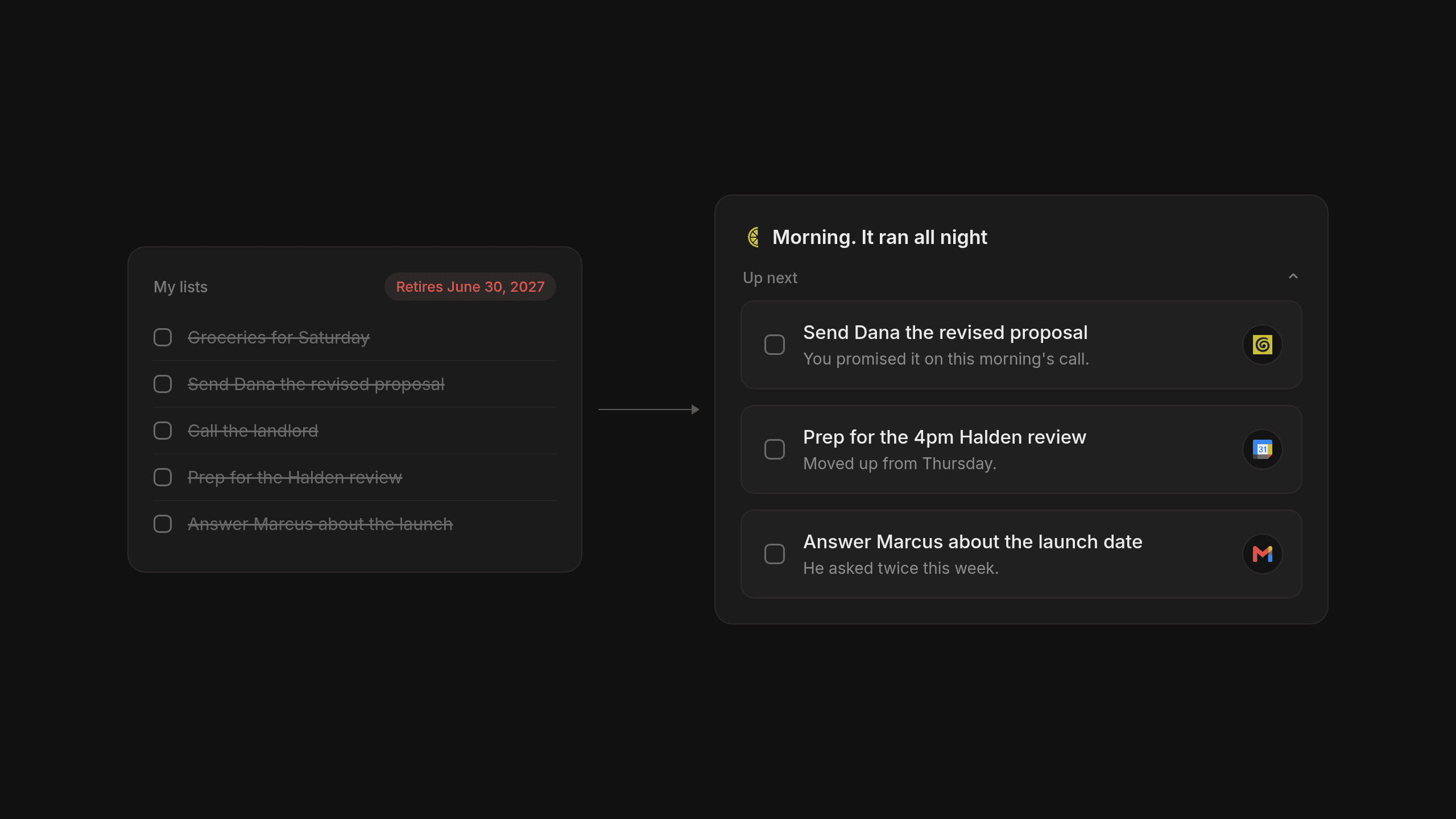
When Microsoft bought Wunderlist back in 2015 and eventually turned it into Microsoft To Do, millions of people found a simple home for their daily checklists. Now that Microsoft has set a retirement date of June 30, 2027 for those apps, anyone using a personal account has to find a new place for their tasks and pick a Microsoft To Do alternative that actually fits how they work.
Why You Need a Microsoft To Do Alternative Soon
Switching where you write down your daily tasks is a big ask, especially when you were perfectly happy with the tool you had and did not choose to move on your own. As reported by The Register and XDA Developers, the app that grew out of Microsoft's 2015 purchase of Wunderlist is officially shutting down. The Microsoft To Do apps will retire on June 30, 2027 across the web and Windows along with Mac, iOS and Android for both personal accounts and work or school accounts.
While Microsoft points people toward Planner as the next step, Planner only comes with business and education subscriptions. That leaves personal account holders without an official replacement and forces millions of everyday users to look for a new Microsoft To Do alternative before the doors close.
What Actually Changes for Your Lists at the Microsoft To Do Retirement
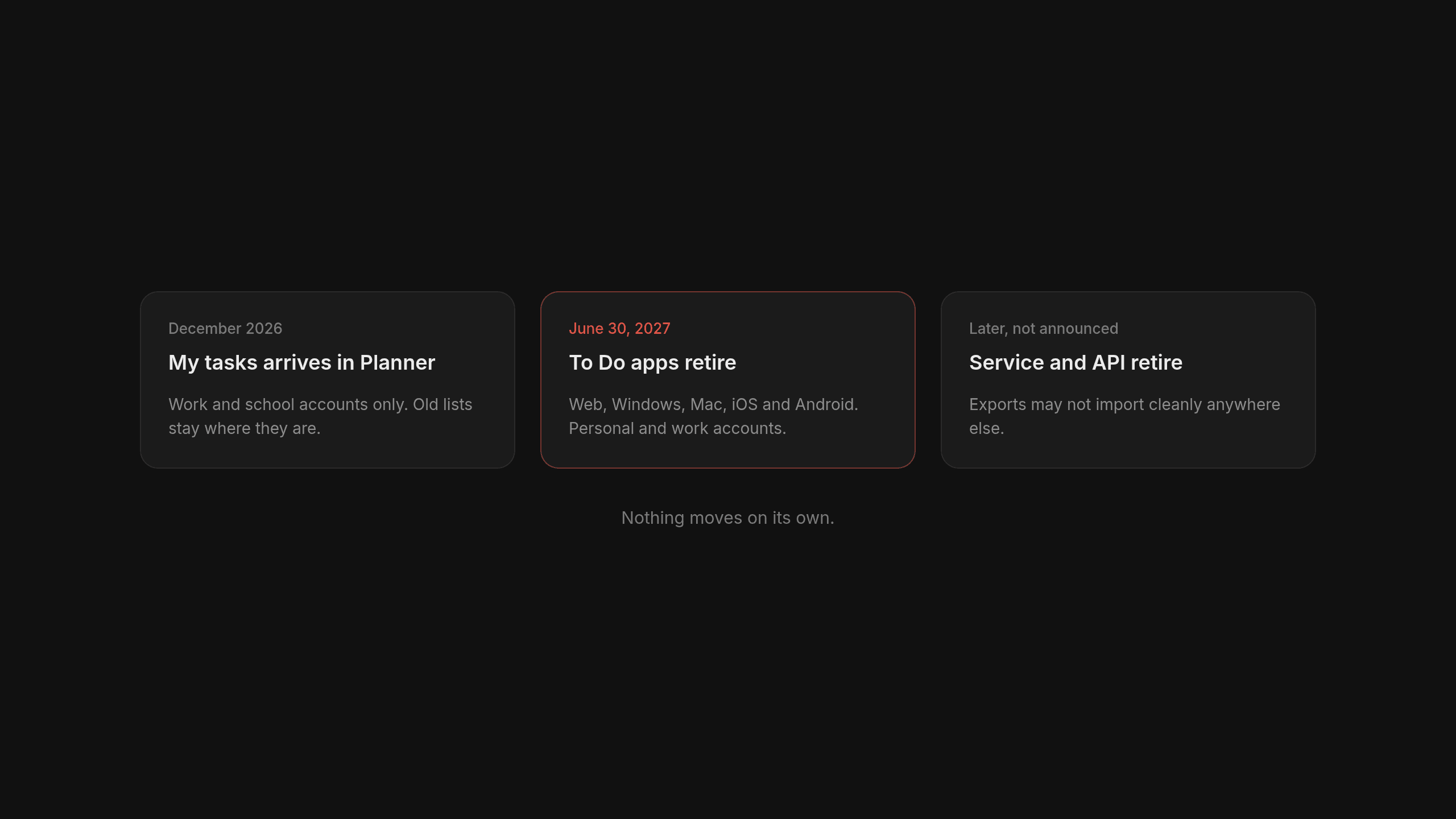
Because a shutdown date can easily spark rumors, it helps to look solely at the documented facts of the Microsoft To Do retirement so you know exactly what happens to your data. According to official documentation from Microsoft Support, existing lists will not move anywhere automatically for either personal or organizational accounts. While Microsoft is rolling out an updated My tasks experience in Planner for work and school accounts beginning in December 2026, your old lists still require manual handling before the deadline arrives.
- All Microsoft To Do apps across desktop and mobile platforms alongside the web app will retire on June 30, 2027.
- Personal account users get no access to Planner and are told by Microsoft to export their data and choose another app before June 30, 2027.
- Work and school accounts can view existing To Do tasks inside the updated Planner experience only through June 30, 2027 because lists do not migrate on their own.
- The underlying To Do service and API will retire later on dates Microsoft has not announced yet and Microsoft warns that an exported file might not import directly into Planner or other tools.
The Question to Ask Before Choosing a Personal Task Manager
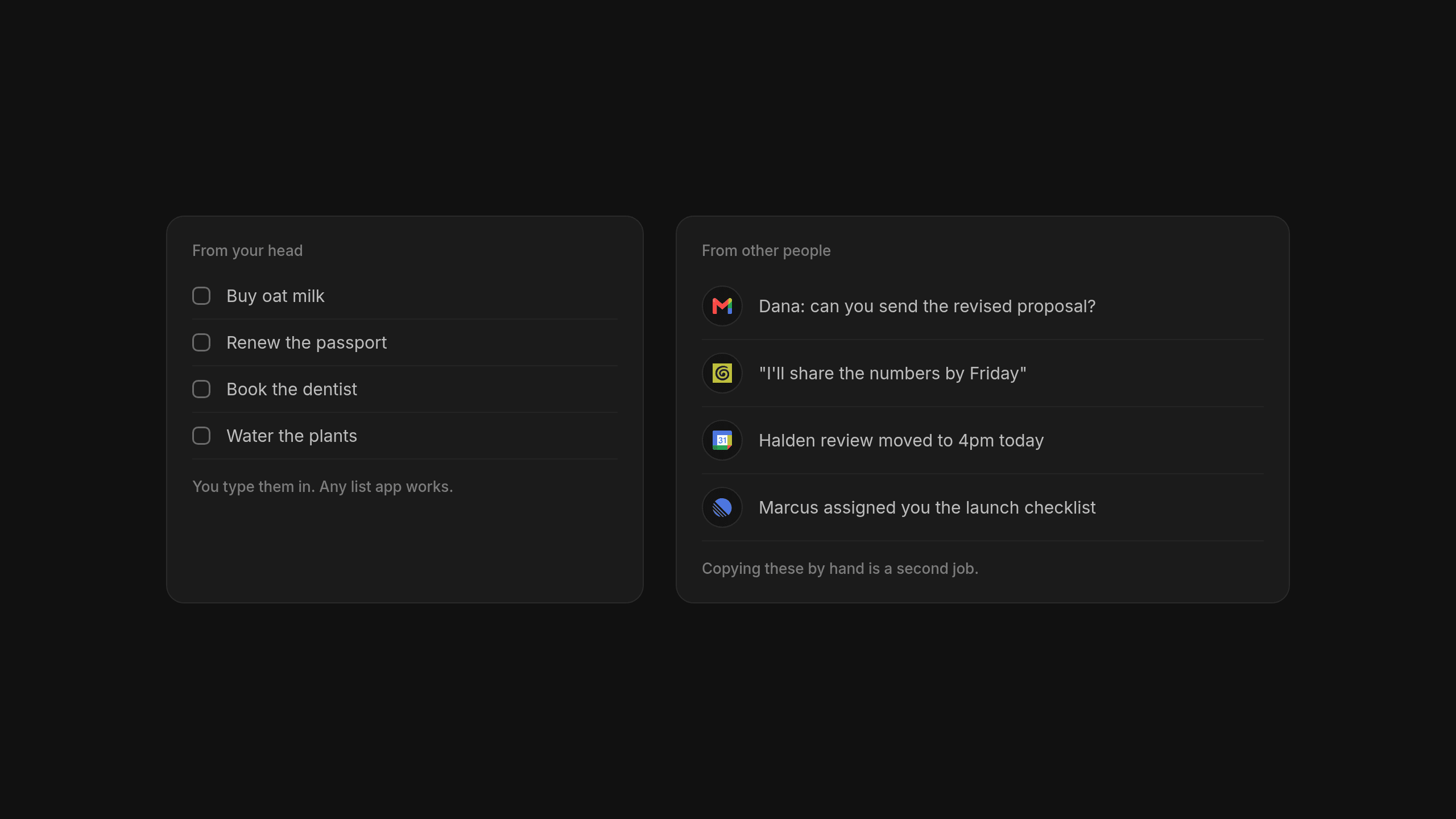
Before you rush to download four different apps and paste your old checklists into all of them, we think it helps to step back and ask one practical question about your day. Do your tasks come mostly from your own head, or do they come from conversations with other people? Think about the difference between writing a Saturday grocery list on a notepad on the kitchen counter and sitting at an office desk where colleagues walk up all afternoon asking you for favors.
If your tasks come from your own thoughts and personal errands, traditional tools where you type and organize lists by hand are wonderful choices that will serve you well for years. For busy professionals across the US like founders or consultants whose days fill up with commitments coming from other people through emails and meetings, copying everything into a list by hand quickly becomes a second job. We explored this exact divide in our essay on rethinking personal task management when we set out to build a personal task manager for days driven by other people.
Microsoft Planner for Work and School Accounts
If you use Microsoft To Do strictly at work, Microsoft Planner is the official destination your company is probably already looking at for this transition. It is best for people who already have a work or school Microsoft 365 subscription and want their daily tasks to live inside the Microsoft ecosystem alongside the rest of their company tools. Beginning in December 2026, Microsoft is rolling out an updated My tasks experience inside Planner to house individual work items.
Even if you have a qualifying work or school account, remember that your existing To Do lists will not transfer over on their own after June 30, 2027. And if you sign in with a personal account, Planner simply is not an option available to you.
Todoist for Fast Capture by Hand
When people ask us who makes the best classic checklist tool on the market, we point them straight to Todoist without any hesitation. For decades it has set the standard for fast manual capture and natural language input, where typing a task along with a due date feels as quick as jotting a line on paper. It also offers reliable apps across every platform you might carry around during the day.
Todoist is the best choice for people who genuinely enjoy building and organizing their own lists by hand and want a proven, steady home for their tasks. For anyone comparing manual tools, it also serves as a rock solid TickTick alternative, and we break down how handmade lists compare to automated capture in our comparison of Todoist and Lemongraph.
TickTick for an All in One Personal Planner
For personal account holders who just want something that feels familiar after leaving Microsoft, TickTick is the closest thing to Microsoft To Do available right now. Instead of focusing only on plain text lists, it brings together a task list and calendar views alongside habit tracking and a focus timer inside a single app on every platform.
TickTick is best for people who want an all in one personal planner that they run by hand from morning to night. Because it bundles time blocking and routines into one place, it also stands out as a great Todoist alternative for anyone who wants calendars and timers built right into their checklist.
Lemongraph for Action Items That Come From Other People
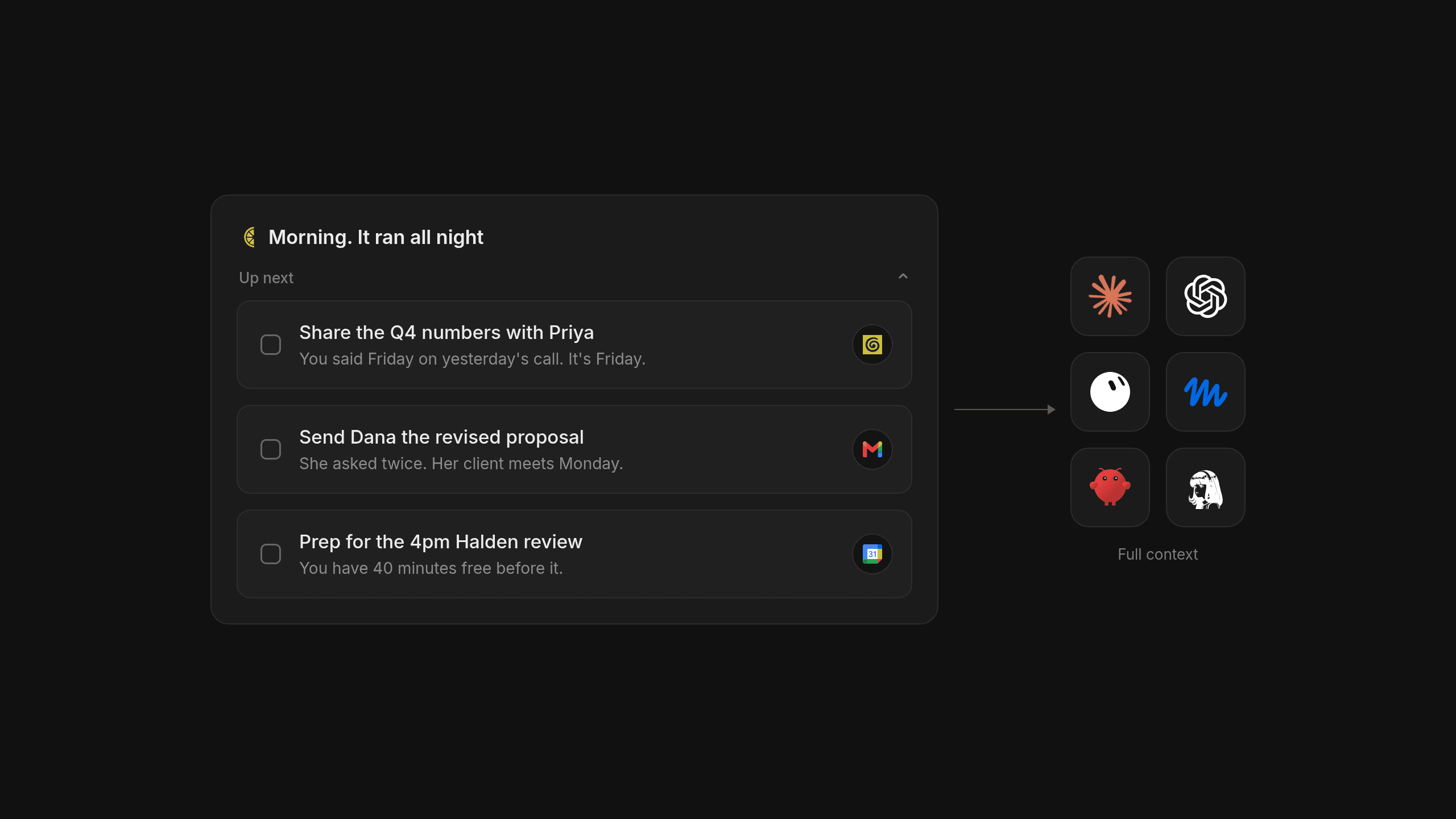
We built Lemongraph as a personal task manager for a very specific kind of workday, namely for people whose action items come mostly from other people through email and meetings and who would rather have the day prioritized for them than rearrange tasks every evening. Instead of waiting for you to type things in, Lemongraph pulls action items out of conversations in Gmail and meeting notes like Granola or Google Meet transcripts along with Wispr Flow so nobody has to copy them over by hand. It then enriches each action item with context from the people and tools around it, pulling relevant details from Notion or Google Docs as well as Linear, Asana and Attio.
Every morning it builds a short Up next list of what actually matters today based on deadlines and who is waiting on you alongside the effort involved and how much time your calendar leaves open, and it explains plainly why each item is there. It also spots routines and can run some of them as chores, though nothing ever goes out on your behalf without your approval. It is not a chatbot and there is nothing to talk to, yet through its MCP server, tools like Claude or ChatGPT can pick up a task with its full context already attached so they start faster and use fewer tokens, an approach we explain in our guide to AI orchestration from one task list. We also want to be completely upfront about our limits because Lemongraph is a web app only right now with no mobile or desktop apps, and it does not sync with Todoist or TickTick.
Comparing Apps Like Microsoft To Do Side by Side
When you line up apps like Microsoft To Do next to one another, the choice really comes down to how much manual tending you want to do every day and which devices you rely on most.
| Feature | Planner | Todoist | TickTick | Lemongraph |
|---|---|---|---|---|
| Who it's for | People with a work or school Microsoft 365 account staying inside Microsoft | People who like building and organizing their own lists by hand | People who want an all in one personal planner they run by hand | People whose action items come from email and meetings and want the day prioritized for them |
| How action items get in | Typed in by hand or assigned in Microsoft 365 work plans | Fast manual capture with natural language input | Typed in by hand across lists and calendar views | Pulled automatically from Gmail and meeting notes like Granola or Google Meet transcripts |
| How the day gets prioritized | Sorted manually in My tasks views | Organized by hand using priority flags and filters | Arranged manually across daily lists and calendar blocks | Every morning Up next ranks what matters based on deadlines and calendar time and explains why |
| Context on each task | Notes and files added manually inside Microsoft 365 | Comments and descriptions typed by the user | Subtasks and notes added by hand | Enriched automatically from tools like Notion or Google Docs and Linear or Attio |
| Platforms | Web and Windows along with Mac and mobile apps | Every major desktop and mobile platform plus web | Every major desktop and mobile platform plus web | Web |
If having a native mobile app in your pocket for grocery runs and personal reminders is a must, Todoist or TickTick will make you much happier than we will right now. If you spend your workday at a computer in a browser and feel buried under follow ups from meetings and emails, a web based task manager that gathers and prioritizes those action items for you will save you a lot of evening cleanup.
How to Move Your Tasks Before June 30 2027
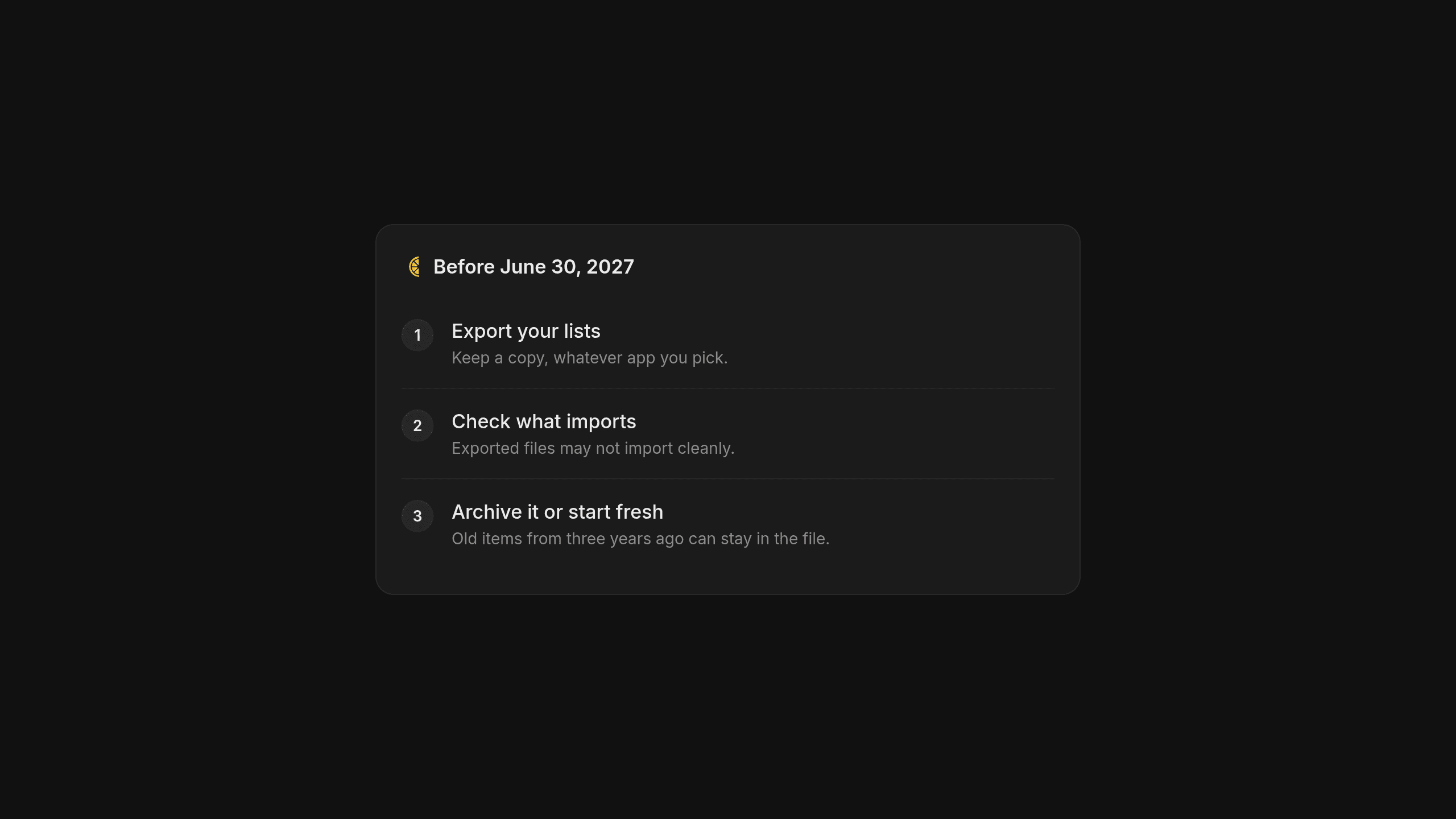
Because June 30, 2027 will arrive faster than anyone expects, taking half an hour on a Friday afternoon to handle your transition will save you a headache later.
- Export your task data directly from your Microsoft account settings well before the June 30, 2027 deadline so you have a permanent copy of your lists.
- Check whether the new tool you picked accepts file imports, bearing in mind Microsoft's warning that exported To Do files might not import cleanly into Planner or other apps.
- Decide honestly whether you want to spend time reformatting old items from three years ago or simply archive the export file and start fresh.
Starting with a blank slate can actually feel like a huge relief when you switch to a personal task manager like Lemongraph, because it immediately pulls your active action items straight out of your recent Gmail threads and meeting notes without needing an old archive at all.
Frequently Asked Questions About Leaving Microsoft To Do
When does Microsoft To Do shut down for good?
The Microsoft To Do apps will retire on June 30, 2027 across the web and Windows along with Mac, iOS and Android for both personal accounts and work or school accounts. The underlying To Do service and API will retire later on dates that Microsoft has not announced yet.
Will my existing lists move to Microsoft Planner automatically?
No, existing lists will not move anywhere automatically for anyone. Work and school accounts can view their existing tasks inside Planner only through June 30, 2027, while personal account holders cannot use Planner at all because it requires a business or education subscription.
What is the closest manual replacement for personal users?
TickTick is the closest match for personal users who want a familiar checklist combined with calendar views and a focus timer on every platform. If you prefer pure, fast manual capture with natural language input, Todoist is a wonderful choice as well.
Does Lemongraph have a mobile app or sync with Todoist?
No, Lemongraph is a web app only right now, so there is no mobile app and no desktop app. It also does not sync with Todoist or TickTick because it is built to pull action items directly from your email and meetings rather than mirroring a handmade list.
If your tasks come from your own head and you love checking things off on your phone in the grocery line, go grab Todoist or TickTick and you will be in great hands. If your workday is driven by what happens in your inbox and on your calendar, we would love for you to try Lemongraph on the web and see how it feels when your morning priorities are already waiting for you.
Context engineering for non-engineers: why your AI keeps forgetting you
Learn what context engineering means in plain words for everyday ChatGPT and Claude users so you can stop repeating yourself in every new chat.
How to use AI agents at work: 12 examples for small business owners and teams
Learn how to use AI agents at work with twelve grounded examples that draft replies and organize tasks while keeping important decisions in your hands.