How to use AI agents at work: 12 examples for small business owners and teams
Learn how to use AI agents at work with twelve grounded examples that draft replies and organize tasks while keeping important decisions in your hands.
Nov 17, 2026
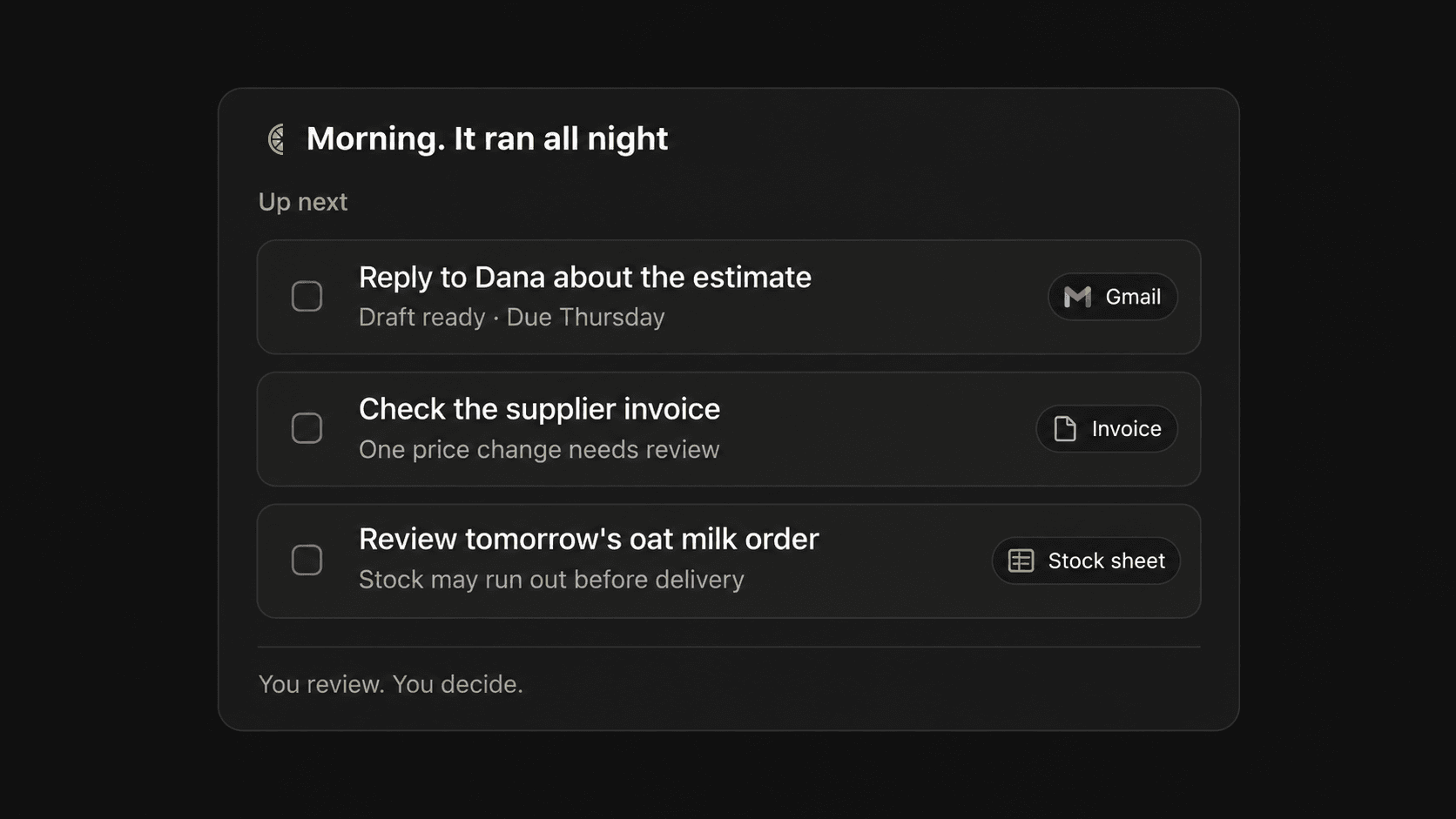
Most advice about software automation sounds wonderful on Friday afternoon and falls apart by Monday morning when you still have to decide what to connect and whether a machine is about to email a client something embarrassing. Figuring out how to use AI agents starts with treating them less like magic coworkers and more like simple morning prep cooks who chop the vegetables before you turn on the stove.
Understanding How to Use AI Agents at Work Without the Hype
Generic advice usually tells you to summarize your inbox or automate customer support, which leaves you sitting at your desk wondering what prompt to write and what the software is actually allowed to touch. Looking at AI agents at work gets much easier when you give software one narrow responsibility with the right context and a clear stop sign where a human takes over.
Prompts Versus Automations Versus Connected Agents
A regular chat prompt is great when you do not mind carrying the spreadsheet over to the model yourself to ask what changed last week. A standard rule automation in Make or Zapier works best when the steps never require judgment, like turning a web form submission into a new contact row. Connected workflows in ChatGPT Work or Claude connectors sit in the middle by reading messy inputs across your apps on a schedule, and recent guides from OpenAI Academy on workspace agents show how teams can lock down permissions and scheduled runs before anything goes live. Make makes this exact distinction in its own documentation by recommending conventional automation when rules are predictable and connected models when the input depends on context.
We should be completely upfront here too. We did not build Lemongraph as an agent or assistant at all. Lemongraph is an AI native personal task manager and to-do app that keeps your list current when you just want your own daily chores sorted out.
Choosing Between Prompts, Standard Automations and Connected Workflows
| Approach | How Information Arrives | When It Works Best | Human Role |
|---|---|---|---|
| Chat Prompt | You paste text or upload a file manually | One-off summaries or drafting five quick replies | You initiate every step and copy the result out |
| Standard Automation | Triggered automatically by an app event | Predictable rules like turning a web form into a CRM row | You set the rule once and only fix broken triggers |
| Connected Workflow | Software reads connected apps on a schedule | Messy inputs that require reading context before drafting | You review and approve the prepared draft before anything sends |
Start with one annoying recurring job that produces a draft you can check in two minutes. The rest can wait.
Examples 1 to 3 for Handling Customer Work Without Losing the Relationship
Handing customer messages over to a machine feels risky because nobody wants a robot ruining a five-year client relationship over a misunderstood joke. You can keep the human warmth intact by letting software handle the reading and sorting while you keep the send button for yourself.
Example 1 Is Morning AI Inbox Triage
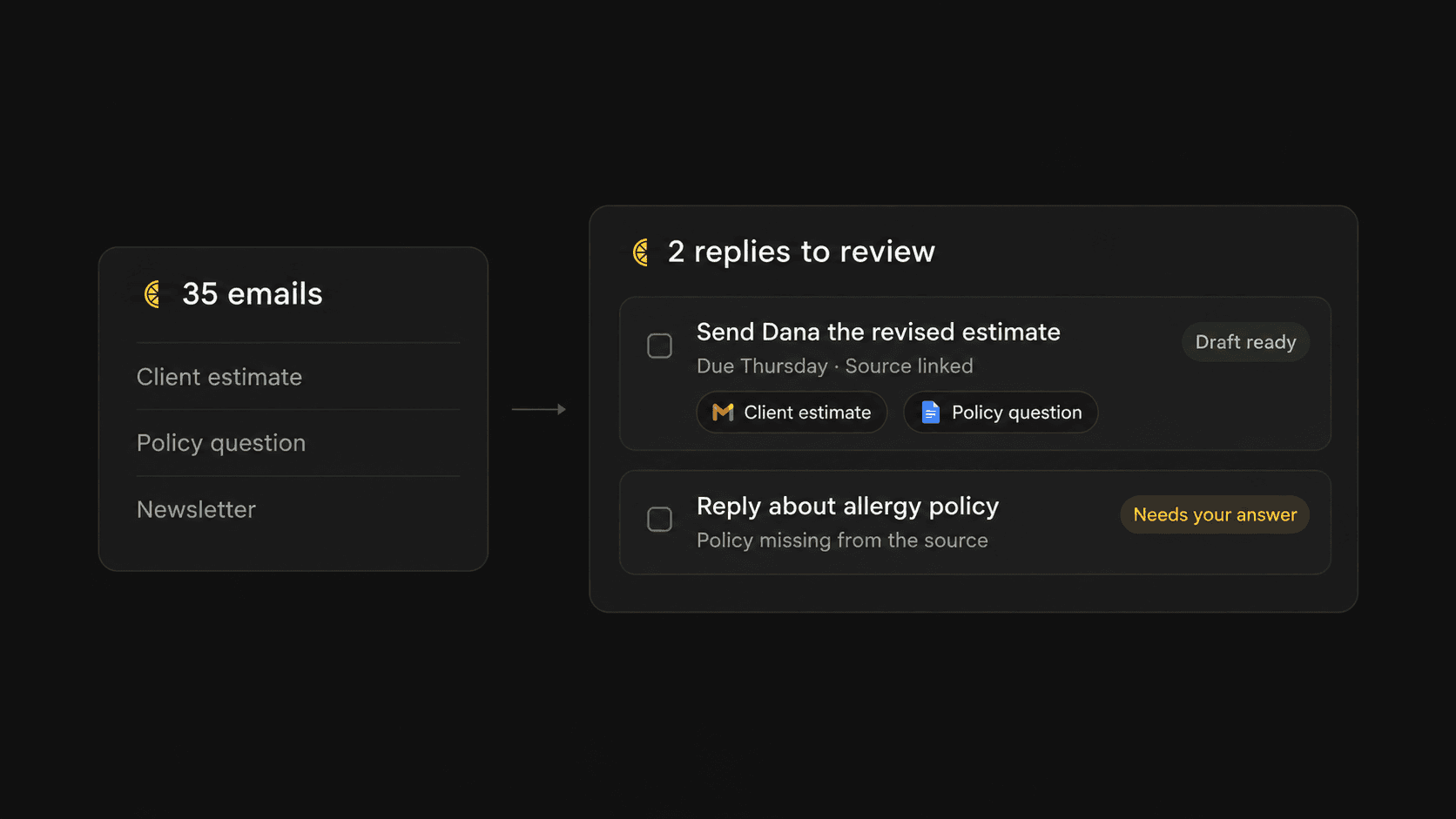
Waking up to 35 messages in a small studio usually means sorting through newsletters and casual FYI notes just to spot the one client asking for a revised estimate before Thursday. You can test AI inbox triage manually in ChatGPT or Claude first by pasting yesterday's emails and telling the model to extract only real actions that require a response from you alongside the person and stated deadline while ignoring informational noise. Once that output looks reliable every morning, you can graduate to connected sources like Gmail or Asana so the model reads the threads without you copying and pasting. If your main headache is specifically keeping a personal task list updated from Gmail and Google Calendar, we built our AI native personal task manager Lemongraph for that exact job, whereas Todoist is still the better choice if you enjoy typing and organizing every single task by hand.
Example 2 Is Turning Customer Questions Into Policy Drafts
A neighborhood coffee shop gets asked about oat milk or dog rules ten times a week. Instead of letting a model guess from general internet training, put your actual hours and allergy wording into a single one-page Google Drive document and connect it to Claude or ChatGPT. Tell the model to draft replies under 120 words using only that document, write NEEDS HUMAN ANSWER whenever a policy is missing and never guess on allergies or refunds.
Example 3 Is Waking Up Quiet Sales Leads
When a photographer sends ten proposals and half go quiet after two weeks, standard HubSpot workflows can easily count to 14 days without any artificial intelligence. The smart move is letting the connected model read the old thread to draft a warm check-in that mentions their specific project while flagging anyone who already cited budget issues. Measure these customer setups by missed follow-ups and draft approval rates rather than total messages summarized.
Examples 4 to 6 for Preparing Money and Paperwork Before You Approve It
Back-office paperwork drains your energy because it asks you to stare at two nearly identical documents at the end of a long day just to spot one wrong number. Software happens to love that kind of repetitive comparison work.
Example 4 Is Checking Supplier Invoices Against Orders
When a shop receives bills from a dairy supplier or packaging distributor, paying the bill takes thirty seconds while verifying the line items takes twenty minutes. QuickBooks already captures invoice lines well on its own, so the real value of practical AI automations here comes from uploading your original purchase order alongside the vendor invoice to catch surprises. Tell the model to build a comparison table that flags duplicate charges or unit price jumps above five percent while refusing to mark an invoice correct if any line data is missing. Keep a human in charge of the final payment button.
Example 5 Is Sorting Uncategorized Expense Receipts
Consultants and landscapers easily collect dozens of emailed receipts and crumpled phone photos every month. Since QuickBooks already handles standard receipt capture and routine transaction rules, you only need help with the weird leftovers. Export your uncategorized expenses along with your chart of accounts and ask the model to suggest a category with a one-sentence reason and a confidence rating. Instruct it to mark any ambiguous tax treatment as REVIEW so your accountant only inspects 12 tricky rows instead of 312 routine ones.
Example 6 Is a Friday Business Report That Explains Changes
Most small business reporting fails because the owner has plenty of spreadsheets and zero habit of opening them on Friday afternoon. Export this week's point-of-sale numbers and ask the model to compare revenue and top-moving items against the previous four weeks while separating hard facts from a short list of questions to investigate. Once that manual check actually triggers a real purchasing or staffing change, you can move the prompt into scheduled runs inside ChatGPT Work or Make.
Examples 7 to 9 for Running a Local Shop Without Guessing on Stock or Shifts
Running a physical storefront means your mistakes show up as empty shelves or bored staff rather than tidy digital notifications. Good preparation here turns raw register numbers into tomorrow morning's plan.
Example 7 Is Inventory Forecasting Before Delivery Day
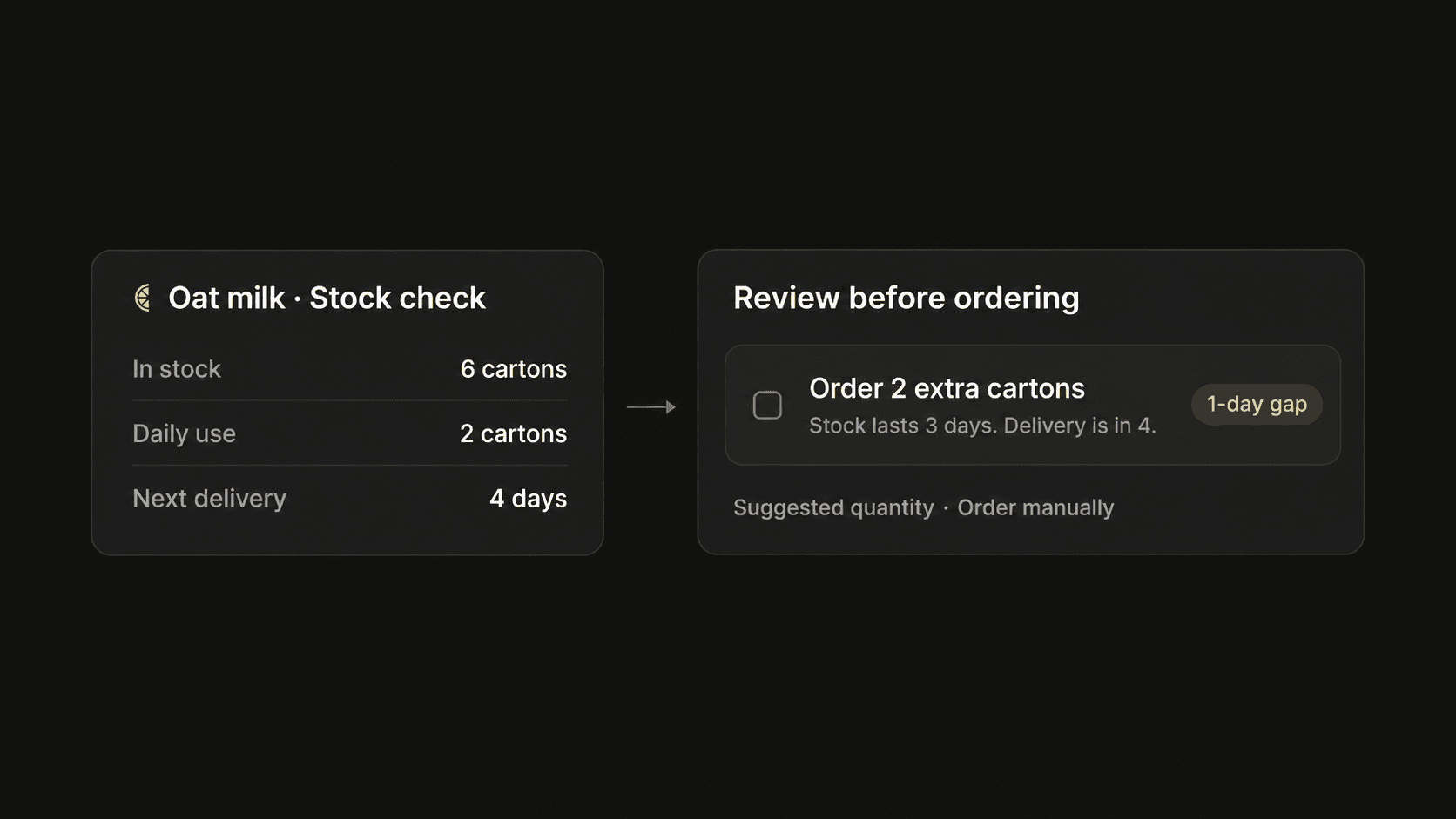
Imagine running a busy cafe that sells 180 to 260 drinks a day. Knowing that six cartons of oat milk are sitting in the fridge is mildly helpful, whereas knowing whether six cartons will survive through Saturday morning is what actually saves your weekend. Square already handles basic low-stock alerts and purchase orders well enough on its own. A smarter prompt combines your recent daily consumption export with current stock counts to estimate how many days of milk remain before the next delivery truck arrives, suggesting an order quantity while flagging weird sales spikes and never placing the order itself.
Example 8 Is Drafting Staff Schedules From Availability
Building a shift table for five baristas feels fine until someone takes leave and Saturday needs twice as many hands as Tuesday. We should be totally honest about tradeoffs here because dedicated tools like When I Work or Deputy are much better choices than a general AI model once rest rules and local labor laws get serious. If you just want to prototype a rough roster before buying software, give the model your availability table and ask for a draft schedule that highlights unfilled shifts in bold rather than breaking anyone's hour limits.
Example 9 Is a Weekly Food Waste Detective
Cafes throw away pastries every afternoon without noticing that Tuesday croissants always sit untouched while Thursday muffins vanish by ten. Keep a simple six-week sheet tracking prepared quantities against sold and discarded numbers by weekday, then ask the model to suggest revised morning baking targets without cutting items that frequently sell out. Uploading that sheet once a month takes two minutes. Not every good prompt needs to become a scheduled machine.
Examples 10 to 12 for Keeping Team Coordination and Daily Promises on Track
Internal teamwork rarely falls apart because people forget how to do their jobs. Things usually break because five people walk out of a Tuesday meeting with five slightly different memories of who promised to do what by Friday. Looking at practical AI workflow examples for team coordination shows how software can quietly gather those scattered promises before anyone drops the ball.
Example 10 Is Turning Meeting Notes Into Clear Commitments
Paragraph summaries of meetings sound impressive and accomplish almost nothing when everyone goes back to work. Instead of asking for a recap, instruct your model to extract only explicit decisions and action items alongside the owner and exact supporting sentence from the transcript, writing UNASSIGNED or NO DATE whenever someone forgot to name a deadline. Claude connectors can push those confirmed tasks straight into Asana for a shared team board. When the goal is personal follow-through rather than managing a whole department, our AI native personal task manager Lemongraph connects with Granola, Google Calendar and Gmail to pull the tasks you promised other people straight onto your own list with every detail linked back to its source.
Example 11 Is Collecting Project Updates Without Chasing People
Operations leads often lose two hours every Friday chasing five people to ask what changed and what is blocked. Ask your team to keep their status updated inside Linear, ClickUp, Asana, Notion or monday.com, then let a connected prompt compile completed, in-progress and blocked items using only dated records from the past seven days. This works wonderfully when people update their tickets and fails completely when they do not. Better source discipline beats a smarter model every time.
Example 12 Is Calendar Triage and a Five-Minute Morning Brief
When you need a continuous two-hour work block on Thursday before three in the afternoon, ask a connected prompt to propose up to three rearrangements using only internal meetings without touching customer calls or changing the calendar itself. You can pair that with a ten-item morning briefing that scans your connected work tools to show who is waiting on you today and why. If you would rather not build and maintain scheduled briefing prompts on your own, Lemongraph handles this as a to-do app on the web and Mac with an Up next view that explains what matters today, adjusts priorities when plans change and lets you snooze anything for later. Our Free plan is $0 with 15 chore runs a month and Pro is $20 a month with 100 chore runs so you only pay for chores that actually get done rather than buying vague credits, though you should know upfront that Lemongraph does not sync with Todoist.
Guardrails That Keep Workplace Automations Useful Instead of Stressful
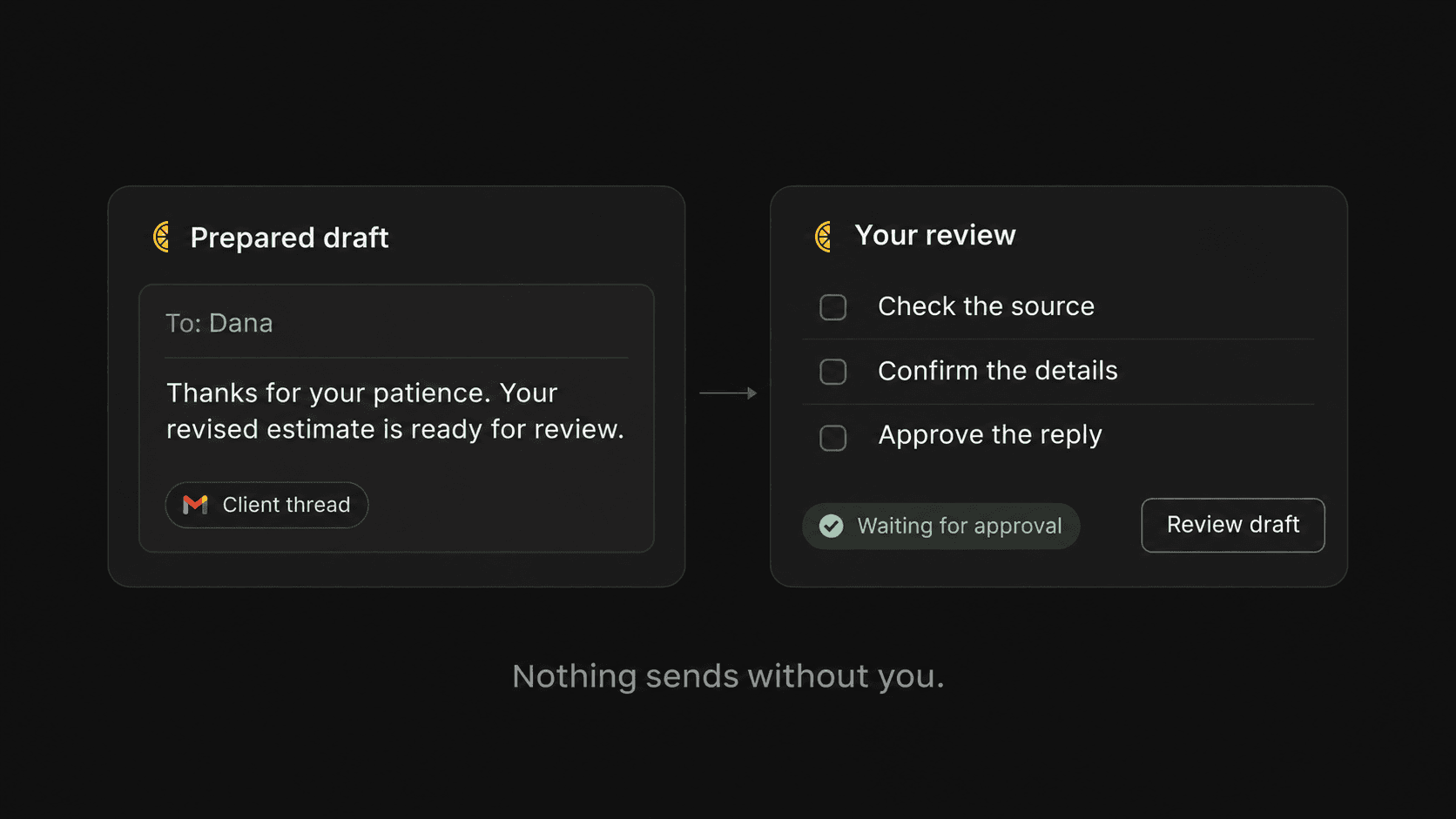
Connecting software to your real company accounts can feel a bit like handing your house keys to a friendly stranger who really loves reorganizing kitchen cabinets. The calmest way to survive your first week with any connected workflow is treating it strictly as recommendation mode by letting it read broadly and write narrowly. OpenAI workspace controls let you restrict connected apps to read-only behavior or require confirmation before any write action happens, while Zapier lets you insert an explicit human approval pause that holds a workflow until you accept or reject the draft.
- Start with read-only permissions so your workflow can inspect emails or invoices and prepare drafts without touching live records.
- Inspect vendor data scopes before connecting by reading what permissions an app requests and where data travels, just like the Google mail and calendar scopes we publicly document at Lemongraph.
- Keep money and live customer replies behind human approval so software prepares invoice checks or policy answers while a person clicks send.
- Track one concrete number for seven days such as stockouts avoided or forgotten promises caught to prove the setup actually helps.
The most sophisticated setup is rarely the one you keep using in six months. Usually the most valuable automation in a business is embarrassingly small, like a quiet check that catches five forgotten promises before breakfast or warns you on Thursday night that the cafe is about to run out of oat milk.
Frequently Asked Questions About Practical AI Automations
People often ask when a simple to-do app beats building a custom workflow from scratch. If your main struggle is keeping up with tasks arriving in your inbox and calendar from other people, an AI native personal task manager like Lemongraph that connects with Gmail, Google Calendar, HubSpot and Attio will save you hours of prompt tinkering while keeping every meeting brief and task linked to its source. Readers who already keep their lives inside Todoist also ask whether Lemongraph works with Todoist, and the plain answer is no because Lemongraph does not sync with Todoist. If you enjoy maintaining and organizing your list by hand, sticking with Todoist is genuinely the better choice. Finally, if you want to test any new workflow safely before connecting live company accounts, paste five real examples from last week into a regular chat window first and only connect your live tools once the manual drafts need zero edits.
Finding a Microsoft To Do Alternative Before 2027
Looking for a Microsoft To Do alternative before June 30, 2027? Compare Planner, Todoist, TickTick and Lemongraph to see which app fits how you work.
Goblin Tools alternatives for full work context
Looking for Goblin Tools alternatives that understand your actual workday? Compare Tidywell, Llama Life, Tiimo, ChatGPT and Lemongraph to find the right fit.