TickTick vs Lemongraph
TickTick is a lovely place to plan the tasks you bring to it. Lemongraph is for the ones you never got around to typing in.
Written by George Kats · Oct 11, 2026 · Updated Nov 10, 2026

If your list starts in your own head, TickTick is hard to beat. You get calendar views, habits and focus timers in one window. If your list starts with other people, that's where Lemongraph helps. It turns what you agreed to in Gmail and meeting notes into action items and shows you Up next each morning. You won't find calendars, habits, timers or phone apps here.
You know that thing where you get off your fourth call of the day, open your to-do app and just look at it for a second? Because your list is from this morning and your actual day isn't on it yet?
We do it too. Your app is fine. It just wasn't on that call.
TickTick is a lovely app for planning a day. We built Lemongraph for what happens before planning, when somebody has to notice what you agreed to and write it down.
TickTick is a great place to plan
TickTick is the app that kept saying yes. You get your tasks and next to them a calendar, a habit tracker, a Pomodoro focus timer and an Eisenhower matrix, all in one window.
The calendar is the best part. Drag tasks onto Tuesday afternoon, give each a start and end and it sits right there next to your Google Calendar events. If you like to block out your week hour by hour, it's hard to do better.
Its focus timer is tied to your tasks, so you start sessions on whatever you're working on and see later where your hours went. And in January 2026, version 8.0 added Suggested Tasks, which looks at your priorities and past patterns and recommends unfinished work for today.
It runs on the web, Mac, Windows, iOS, Android and Apple Watch.
So if most of your list starts in your own head (passport renewal, Thursday writing block, drinking more water), TickTick is where we'd send you.
What nobody types in
Here's where we come in. Everything in TickTick is there because you put it there. That's great for your passport. It's harder at six in the evening, when you owe three people something and all three asks are sitting in different threads.
Say Ana from finance asks for the vendor numbers in the last two minutes of a call. In TickTick, that becomes a task once you remember to type it. And when you do, it says "send Ana vendor numbers" and nothing else. Which numbers? By when? Wasn't there a thread about this?
That's what we build. Lemongraph is a knowledge factory and meeting point for your priorities and your agents. It follows conversations your work runs through, in Gmail and in your meeting notes (Granola, Wispr Flow and Google Meet) and turns what you agreed to into action items with the whole story attached.
Action items show up by themselves
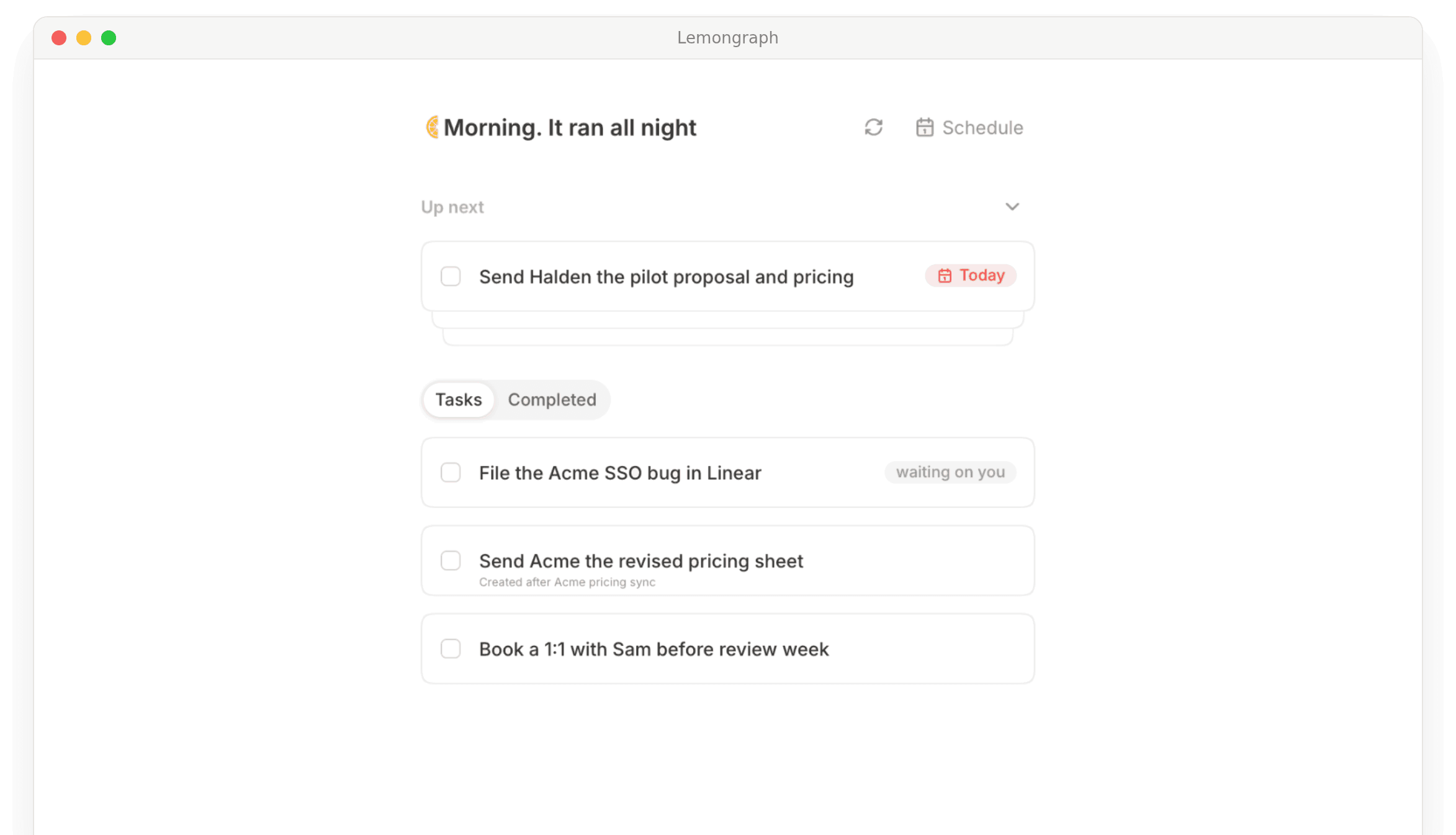
Agree to something on a call or in a thread and it's on your list before you've moved on, with a link back to where it was said. Ana's vendor numbers arrive with that call, last week's thread and her date.
You can still add your own. There's an Add a task box and you can type or just say it out loud.
Up next tells you where to start
TickTick hands you tools to decide what's first. You set the priority, drop it in the matrix, block the time.
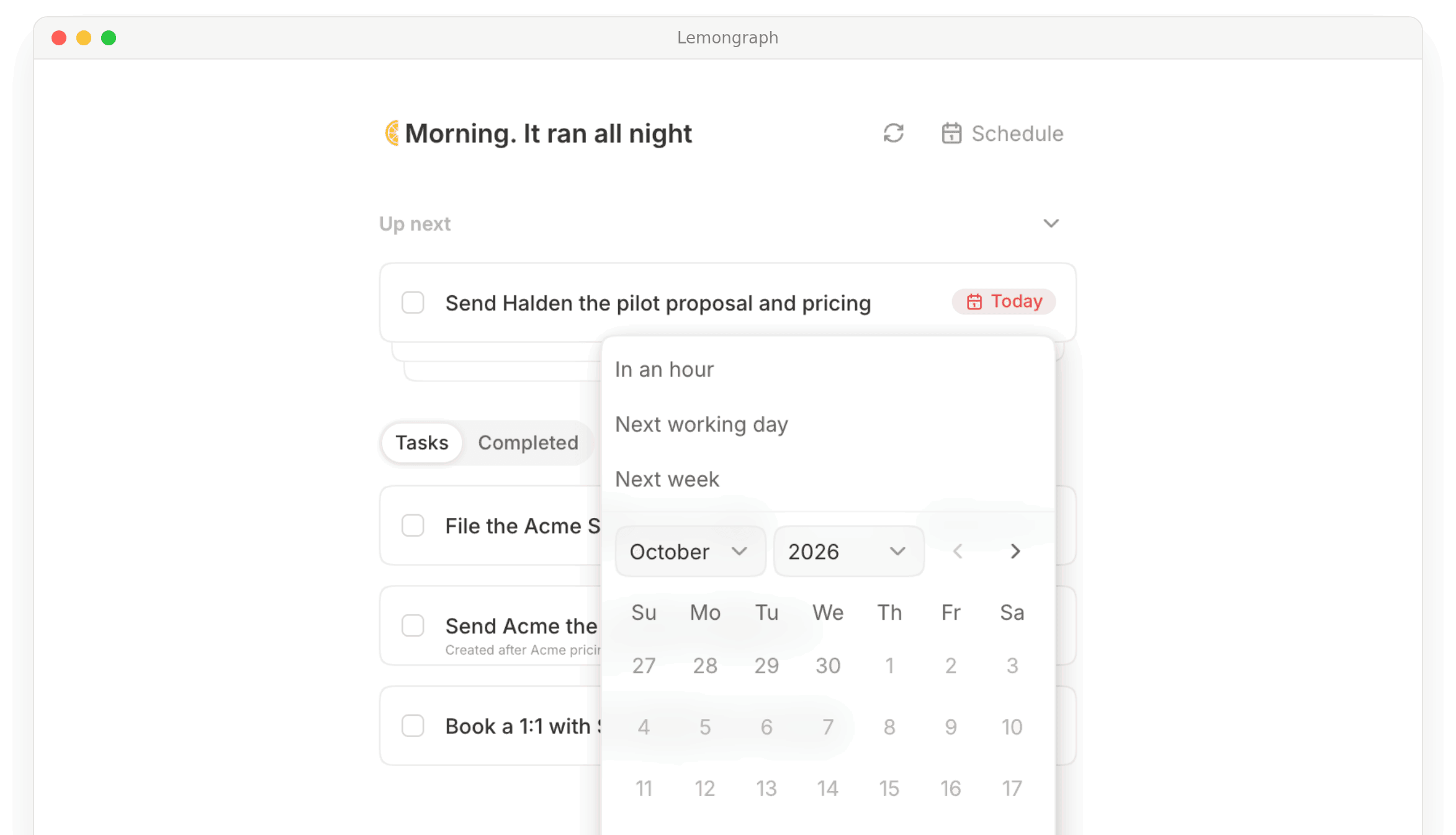
Lemongraph takes the first pass. Every morning, Up next gives you a short list of what deserves your time today and tells you why each thing made the list. It works that out from how people behaved, like whether someone is waiting on you or whether a decision is stuck until you reply. Due dates get a vote, they just don't get the only vote.
It also knows when one action item can't finish until another does. So if your launch date slips on some late call, tomorrow's Up next already has that quote your engineering lead needs before she can lock the new one.
And if today isn't the day, snooze it. An hour, next working day, next week or any date you pick.
It knows who Ana is
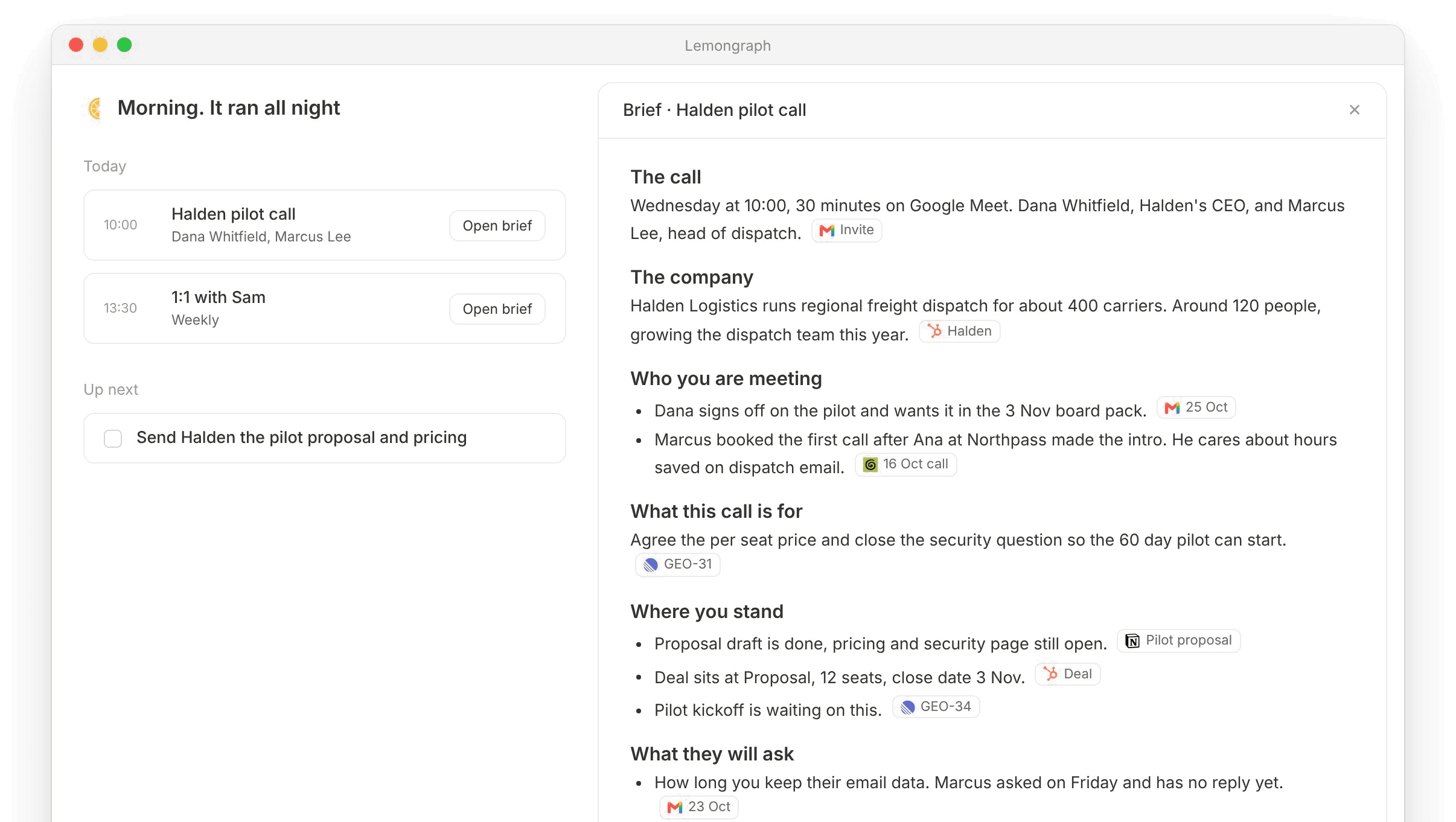
Lemongraph keeps a page for everyone you work with. Who they are to you, how they like to work and whatever is still open between the two of you. So if Ana likes her total up top and three lines underneath, that's already on her page, right next to her thread.
Before calls you get meeting briefs, with who you're meeting and what to prepare. Every line links to where it came from.
Chores and agents
Some work comes back every single week, like Friday updates to clients. When Lemongraph spots one, it shows up with a Hire button. (We call them chores. Go ahead, hire your least favorite one.)
And your agents meet you at that same list. Bring Claude, ChatGPT, Grok Bot, Muse, Hermes or OpenClaw and connect them over MCP. When one of them picks up an action item, it gets people, what was promised and what work depends on. It walks in already knowing the story.
Side by side
| TickTick | Lemongraph | |
|---|---|---|
| Who it's for | One person planning their own tasks, habits and time | One person whose day is meetings and email |
| Who fills it in | You | Lemongraph, from your conversations (and you, when you want to) |
| What tasks come with | What you typed | Their conversation, people involved and what depends on them |
| Where to start | Priorities you set, Eisenhower matrix and Suggested Tasks | Up next each morning, with reasons next to each item |
| Calendar | Drag and drop time blocking | None |
| Habits and focus timer | Both | Neither |
| Meetings | Not its job | Brief before your call, action items after it |
| Agents | Not its job | Claude, ChatGPT and others get each action item's story over MCP |
| Where it runs | Web, Mac, Windows, iOS, Android and Apple Watch | Web |
So which one do you need?
Maybe both and that's fine.
If your list mostly starts with you and you like blocking out your week, that's TickTick. Same if you want habit tracking, focus timers or apps on your phone and watch. We don't have any of those.
If your list mostly starts with other people and you're digging through your inbox every morning to work out who's waiting on you, that's us.
We'd rather tell you now what Lemongraph doesn't do than have you find out halfway through setup. It's built for one person, so there are no team workspaces. Sign in is Google only, which means it won't help if you live in Outlook. There's no iPhone or Android app. There's no calendar to drag things onto, no habits and no timer. And it doesn't sync with TickTick.
Still deciding between classic apps? We compared Todoist and TickTick and Todoist and Lemongraph too.
Frequently asked questions
Does Lemongraph replace TickTick?
Not if you love TickTick for habits, focus sessions and blocking out your week. We don't do any of that. Lemongraph keeps up with what you agreed to in email and meetings, who's waiting on you and what deserves your time today.
Does Lemongraph work with TickTick?
Not today. There's no TickTick integration.
Is there a habit tracker or a Pomodoro timer?
No. TickTick does both really well.
Is there a calendar view?
No. Instead of schedules you get Up next, a short list of what deserves your time today with reasons next to each item.
Can I still add my own tasks?
Yes. There's an Add a task box where you can type things in or say them out loud.
Keep reading
Context for AI agents: Notion, Obsidian and Lemongraph
Notion and Obsidian give your agents a place to read what you wrote down. Lemongraph keeps up with everything you never had time to write down.
Motion vs Lemongraph
Motion already takes notes in your meetings and plans your day. So why did we build Lemongraph? Our honest answer, including when to pick Motion.
Akiflow vs Lemongraph
Akiflow pulls your tasks into one inbox, has a meeting assistant and speaks MCP. So why did we build Lemongraph? Our honest answer, including when to pick Akiflow.
All comparisons
Every comparison, alternatives guide and pricing guide we have written.
Lemongraph connects to Gmail, Google Meet, Granola, Wispr Flow, Calendly, Cal.com, Notion, Google Docs, Linear, Asana, ClickUp, monday.com, Attio and HubSpot.
The work behind work: rethinking personal task management
For twenty years personal task management has looked the same, a text box, a checkbox and a date. What it looks like when the list keeps itself up to date.
Best apps that turn email and meeting notes into tasks
Most apps turn an email into a task only after you forward it or star it. Here's how popular ones handle email and meetings and which one does it for you.